6 Best Ways to Schedule a Meeting with Multiple Attendees


Coordinating meetings with multiple people, be it friends or work colleagues, can quickly turn into a scheduling nightmare. Finding a time that works for everyone often comes with long email chains, calendar conflicts, and annoying back-and-forth comms.
But nowadays this doesn’t need to be like that. There are many solutions to make scheduling group meetings much easier in 2025. In this guide, we'll explore the six best ways to schedule meetings with multiple attendees, with Zeeg's collective appointments feature leading the way.
What is the best way to schedule a meeting with multiple attendees?
The best way to schedule a meeting with multiple attendees is to use specialized scheduling software that can automatically find compatible times across everyone's calendars. You can look into other alternatives, like the ones we'll cover in the article, but our main tip is to choose one of the best scheduling tools in the market. Beyond just collaborative calendars' basic functions, they have smart features that let you find the best time for everyone to meet quickly.
Apps like Zeeg offer collective appointment features that get rid of the manual work of comparing schedules, while also providing customization options to set parameters - things like meeting duration, availability times, buffer times, location preferences, videoconference tools, and much more.
This way, things get automated and more efficient, with a great impact on the time spent coordinating and on the amount of scheduling errors.
Comparing scheduling methods: Which is best for your situation?
Each scheduling method has its strengths and might be better suited to specific scenarios. This comparison will help you determine which is better for your organization:
1. Use Zeeg's group appointments options
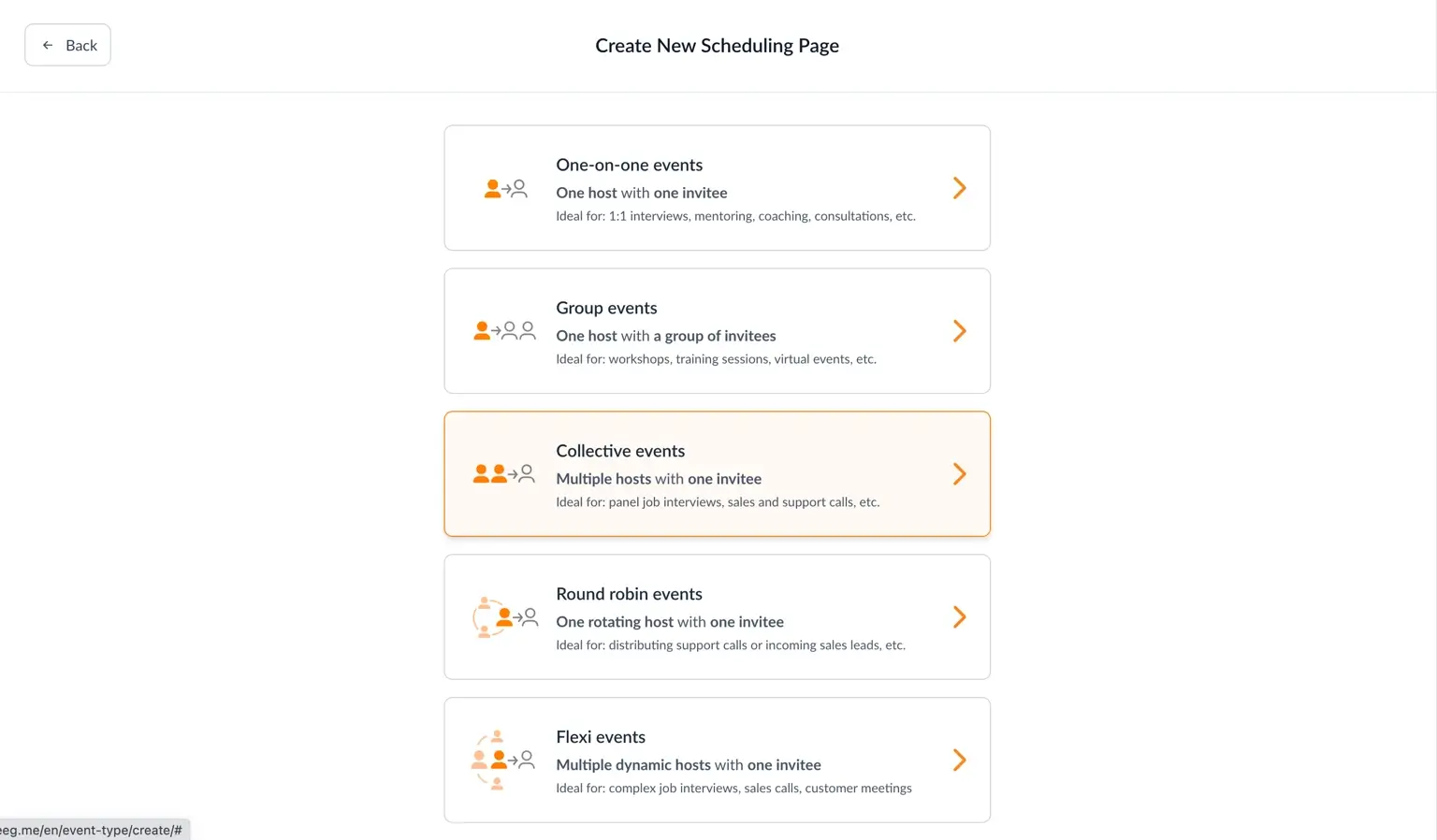
When it comes to scheduling meetings with multiple participants efficiently, Zeeg really stands as a premier solution. The platform's gruop appointments options make coordinating complex group meetings remarkably simple.
Zeeg allows you to create booking links that automatically check availability across multiple team members' calendars. Simply select which team members need to attend, set your availability parameters, and share a single booking link with external participants. The system then presents only the time slots when everyone is available.
Here’s some of the things you’ll get with Zeeg:
- Team availability coordination: Zeeg automatically cross-references multiple calendars to find mutually agreeable times without manual effort
- Round-robin capabilities: For meetings that require any member of a specific team, Zeeg can distribute meetings fairly among available team members with its round-robin feature
- Buffer time management: Set padding between meetings to ensure participants have time to prepare or travel
- Location flexibility: Schedule in-person or virtual meetings with automatic video conferencing links (seamless integration with Zoom, Google Meet, Microsoft Teams, Skype, etc.)
- Timezone intelligence: Displays available times in each participant's local timezone to avoid confusion
- Automated reminders: All participants can get customized and automated email notifications to remind them of the meetings, as well as follow-ups - just set up your automated workflows once and let them work
For businesses managing complex scheduling across departments or with external stakeholders, Zeeg's smart system saves hours of work while creating an easy and simple experience for everyone involved in the meeting.
👉 Have a better look at how Zeeg's collective meetings work.
2. Try polling tools like Doodle
When you need input from all participants about their preferred meeting times, polling tools offer an interactive solution. Platforms like Doodle specialize in collecting availability preferences from multiple attendees to find the optimal meeting time.
Here's how polling tools work for meeting coordination:
- The meeting organizer suggests several possible time slots
- Participants indicate their availability for each option
- The system aggregates responses to identify the best time for everyone
- Once the optimal time is determined, calendar invites can be sent
Doodle remains one of the most popular options in this category, with additional features like:
- Hidden poll results: Participants can't see others' responses until they vote
- Deadline setting: Close polls automatically after a specific date
- Premium features: Ad-free experience and calendar integration on paid plans
- Group polls: Find the best date and time for multiple people
But there are alternatives to Doodle, like the examples below:
- When2Meet: A free, simple interface for quick scheduling
- NeedToMeet: No account required for participants to vote
- Microsoft Forms: Built-in polling features for Microsoft users
While polling tools effectively gather everyone's preferences, they require more active participation from attendees compared to automated solutions like Zeeg. They work well for occasional meetings or when working with external people whose calendars you can't access directly.
3. Leverage traditional calendar apps
Standard calendar applications like Google Calendar, Microsoft Outlook, and Apple Calendar offer basic functionality for scheduling group meetings. While not as specialized as dedicated scheduling tools, they provide essential features that can help coordinate multiple attendees.
Key capabilities of calendar apps for group scheduling:
- Availability checking: View team members' calendars to identify open slots
- Group invitations: Send meeting requests to multiple participants simultaneously
- Acceptance tracking: Monitor who has accepted, declined, or not responded
- Recurring meeting settings: Schedule regular team meetings without repetitive work
Google Calendar offers a "Find a time" feature that displays all invitees' calendars side by side to help identify common free periods. Nowadays, you can also use their paid feature called Google Calendar Appointment Scheduling. Microsoft Outlook provides a similar "Scheduling Assistant" function that highlights when all required attendees are available.
The primary limitation of standard calendar apps is that they typically require all participants to be on the same platform or within the same organization to view availability effectively. They also lack more advanced features like round-robin scheduling or automated time proposals.
For simple internal meetings where everyone uses the same calendar system, traditional calendar apps can be sufficient. However, they often fall short when scheduling across organizations or with external clients.
👉 Read more:
4. Implement API-powered solutions
For businesses requiring deep calendar integration within their existing applications, API solutions like Nylas provide powerful scheduling capabilities through developer-friendly tools.
Nylas offers a universal API that connects to all major calendar providers, including Google, Microsoft Exchange, and Office 365. This allows companies to build custom scheduling experiences directly into their products or internal systems. Some of the benefits include:
- Native experience: Embed scheduling functionality directly within your own applications
- Unified calendar access: Connect to multiple calendar providers through a single API
- Custom workflow creation: Build scheduling processes tailored to your exact business needs
- Two-way synchronization: Changes made in either system reflect automatically in both
- Authentication handling: Secure OAuth flows managed by the API provider
While implementing API solutions with this Nylas or with any of its alternatives requires some technical resources, they usually offer unmatched customization for businesses with specific scheduling requirements. Companies in industries with unique scheduling needs—like healthcare, financial services, or education—often benefit most from these tailored approaches. For example - here's a glimpse of what you can get with Nylas:
- Universal calendar API: Connect to any calendar provider
- Availability detection: Programmatically identify free/busy times
- Event CRUD operations: Create, read, update, and delete calendar events
- Webhooks: Real-time notifications about calendar changes
For organizations with development resources, API solutions provide the flexibility to create exactly the scheduling experience needed for their teams and customers.
5. Explore AI meeting schedulers
Artificial intelligence has the potential to also transform meeting scheduling. AI-powered schedulers can go beyond the usual availability checking by learning preferences, suggesting optimal meeting times, and even handling the communication process autonomously.
There’s some normal scheduling tools that use AI features, but there’s also fully AI schedulers, like Clara or x.ai, which understand natural language and can coordinate meetings through email exchanges, acting as a virtual assistant for scheduling tasks.
How most AI schedulers work:
- You cc the AI assistant on an email when you want to schedule a meeting
- The assistant reads the conversation to understand meeting parameters
- It emails participants to gather availability preferences
- The AI negotiates a suitable time based on everyone's responses
- Once confirmed, it creates calendar invites for all participants
Here’s some features you should expect from these schedulers:
- Learning preferences: Remembering your preferred meeting times, locations, and durations
- Natural language processing: Understanding scheduling requests in conversational language
- Autonomous rescheduling: Handling cancellations and changes without human intervention
- Meeting preparation assistance: Collating agenda items and distributing them before meetings
AI schedulers excel at reducing the administrative burden of scheduling, allowing team members to focus on the meeting content rather than coordination logistics. However, they typically come with higher subscription costs than simpler scheduling tools.
6. Use collaborative workspace platforms
Modern workspace platforms like Slack, Microsoft Teams, and Asana have evolved to include meeting scheduling capabilities directly within their collaborative environments. These integrated solutions help teams coordinate meetings without switching between multiple applications. But let’s look at some pros of scheduling within these workspace platforms:
- Contextual scheduling: Create meetings directly from conversations or project discussions
- Attendance tracking: Manage participant lists within project contexts
- Meeting documentation: Link agendas, notes, and follow-ups to specific projects
- Notification management: Receive meeting alerts in your regular workflow
- Resource coordination: Align meetings with project timelines and milestones
Microsoft Teams offers quite strong scheduling features, with its deep integration with Outlook calendars and the ability to schedule meetings directly from chat conversations. Slack offers similar functionality through its Google Calendar and Outlook calendar integrations.
While these platforms provide convenient scheduling within your workflow, they typically lack the specialized group scheduling features found in dedicated tools like Zeeg - which you can also use to integrate with those tools and streamline (eg. if you create a meeting on Zeeg, already linked to Google Calendar, your colleague gets an automatic message on Slack).
But generally, these tools work best for internal teams already collaborating on them, rather than for coordinating with external participants.
Main benefits of using meeting scheduling software
- Time savings: Less administrative work coordinating calendars
- Fewer scheduling errors: Reduction in double-bookings and conflicts
- Improved attendance rates: Fewer no-shows due to automated reminders
- Enhanced professionalism: Streamlined scheduling creates better impressions with clients
- Greater meeting efficiency: Better-coordinated meetings with improved preparation time
Conclusion: How to choose the best way to schedule a meeting with multiple attendees
The best way to schedule a meeting with multiple attendees depends on your specific organizational needs, but modern scheduling tools have made the process significantly easier than traditional methods.
For most businesses seeking an efficient, professional solution, Zeeg's collective appointments feature offers the most comprehensive approach. Its ability to automatically find mutually agreeable times across multiple calendars, customize the booking experience, and integrate with your existing tools makes it the standout choice for teams serious about optimizing their scheduling processes.
Whichever method you choose, moving beyond manual coordination to an automated scheduling system will save your team countless hours while creating a more professional experience for everyone involved in your meetings.
Zeeg is Europe's leading AI voice agent and appointment scheduling software in one solution — GDPR-compliant, made in Germany. Start for free →