
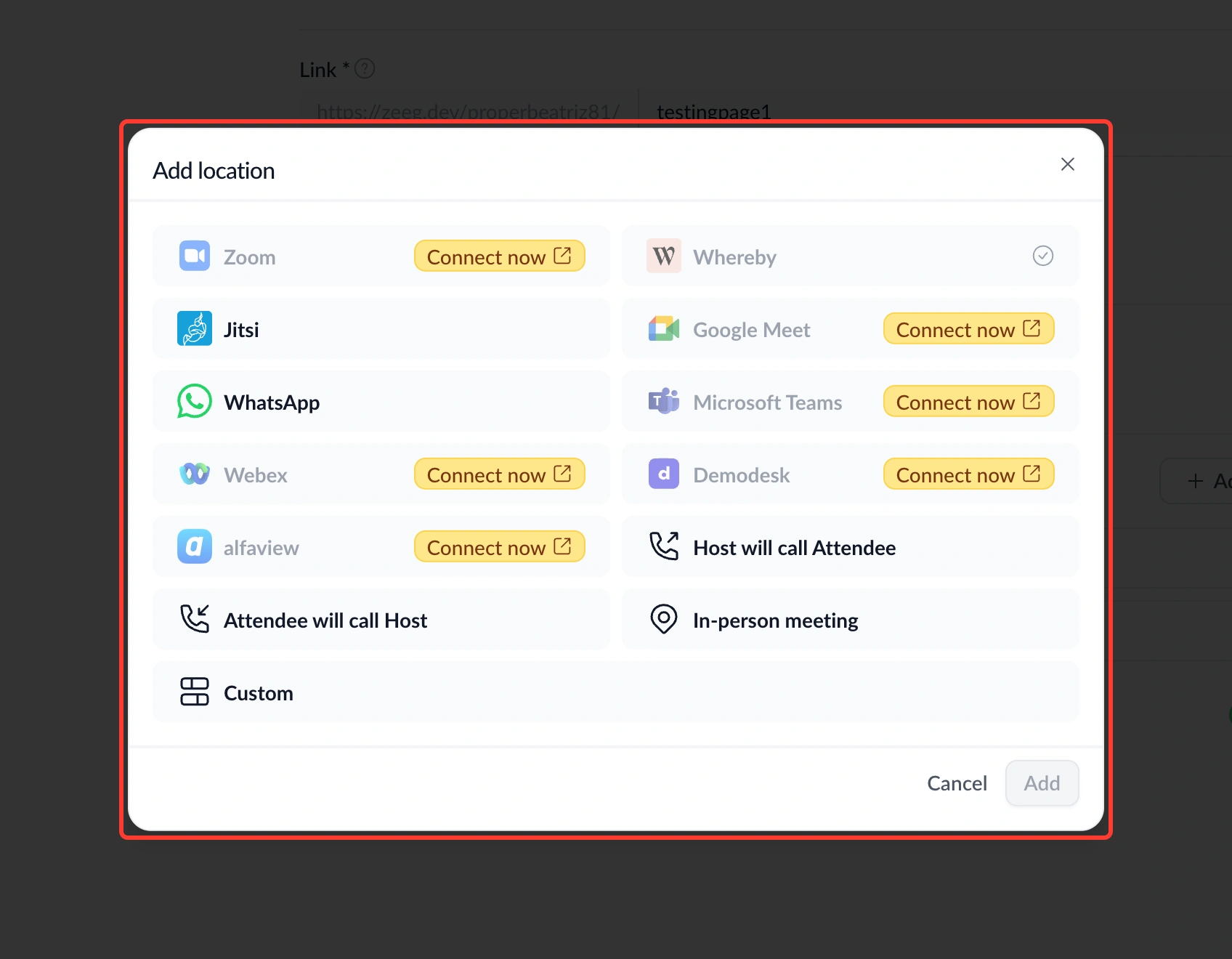
You can now add meeting locations to an event type through a clearer, faster flow.
What's new:
• Grid-based picker – Clicking "Add Location" now opens a dialog showing all available options as a grid, instead of a single dropdown.
• Clear connection status – Unconnected integrations like Zoom, Google Meet, and Teams appear greyed out with a "Connect Now" shortcut.
• Reorderable list – Once added, locations appear as a reorderable list — drag to change the order, and whichever is first becomes the default automatically.
Find it under Event type settings → Location section.
Why this matters: Picking and reordering meeting locations used to mean digging through a single dropdown. Now the options and their status are visible at a glance, so setup takes less time.