
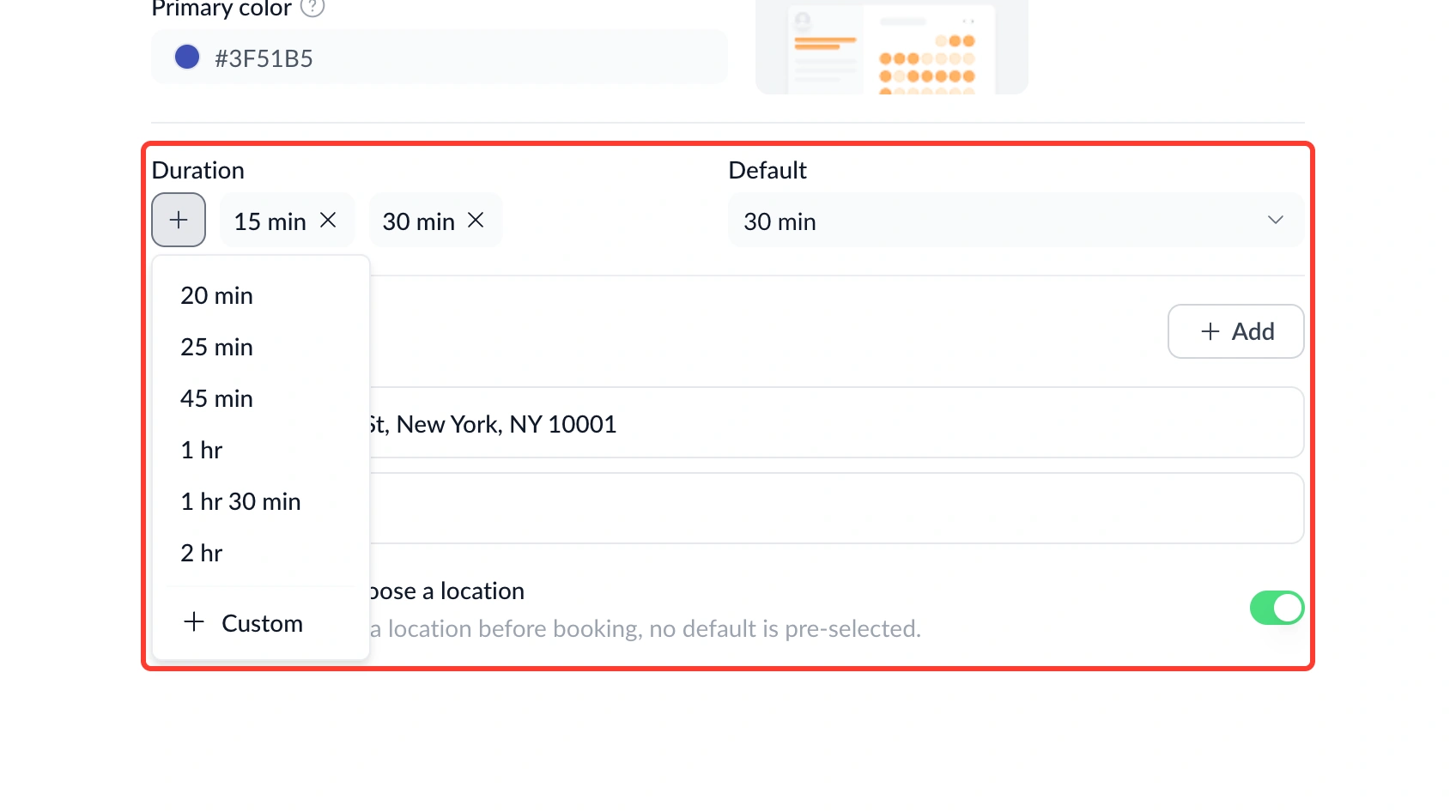
You can now add durations to a scheduling page in a single click.
What's new:
• Preset dropdown – Clicking "+" now opens a dropdown of preset durations you can add in one click, instead of going through a dialog each time.
• Custom option – A Custom option is still there for anything outside the presets.
• Default selector – When you have two or more durations, a Default selector lets you choose which one invitees see pre-selected.
Find it under Scheduling Page → Base Settings → Duration.
Why this matters: Setting up the common durations you use every day shouldn't take a dialog box each time. This gets you from zero to a fully configured scheduling page faster.