Meeting Notes and Capacity Management for Round-Robin Appointments
March 26, 2025
Teams using Round-Robin appointments for group training sessions and consultations previously faced a challenge: Each appointment was limited to a single participant. Starting today, you can flexibly manage participant capacity while better documenting your meetings. These two new features make your scheduling even more efficient.
Features
Meeting Notes
Put an end to lost conversation details and unstructured note scraps:
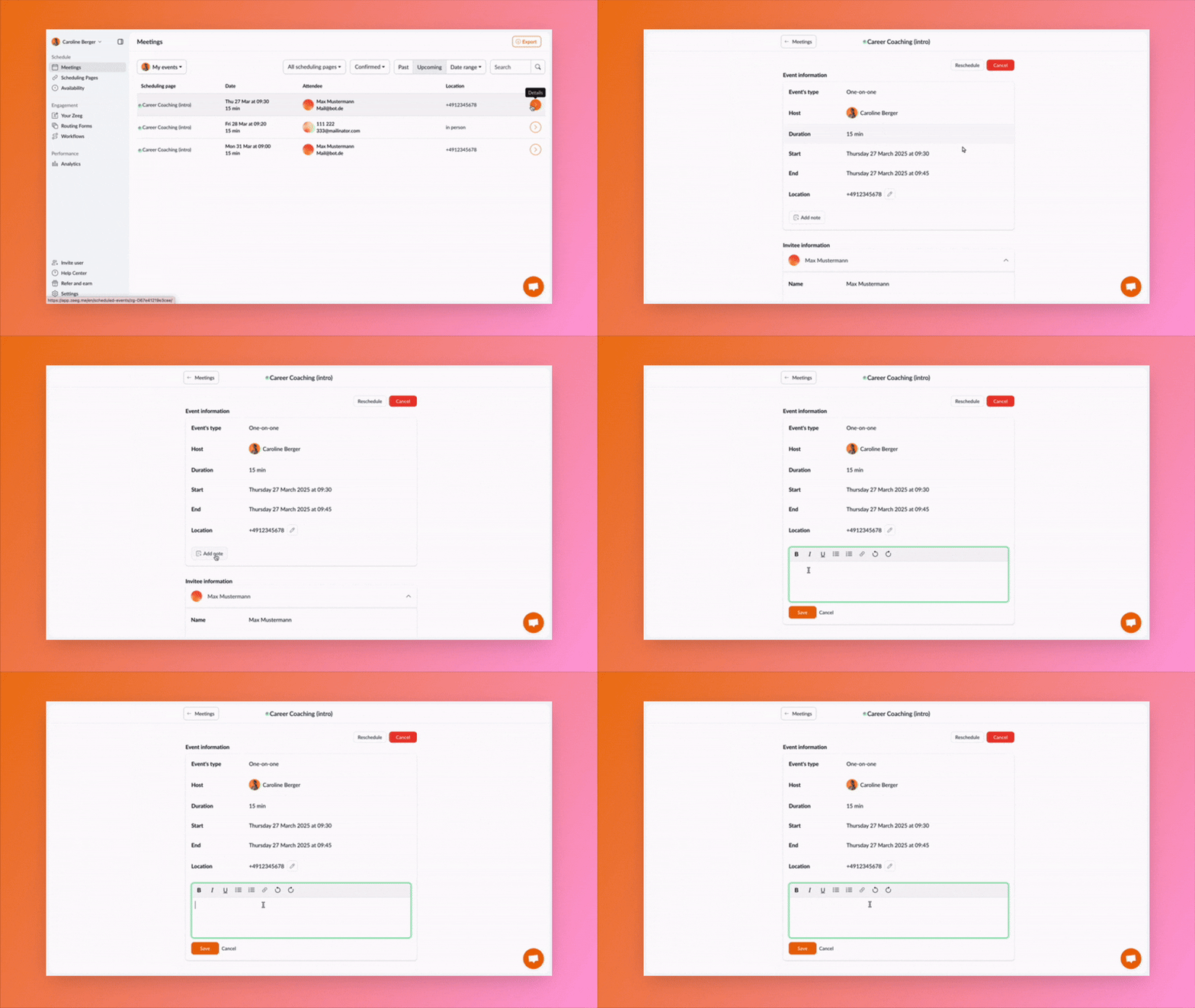
Create and manage notes directly in the Event Details area
Add notes flexibly before, during, or after the meeting
Save important discussion points, tasks, and follow-up appointments in one central location
Keep track of your entire meeting history
Capacity Management for Round-Robin
Optimize your group events in the Round-Robin system:
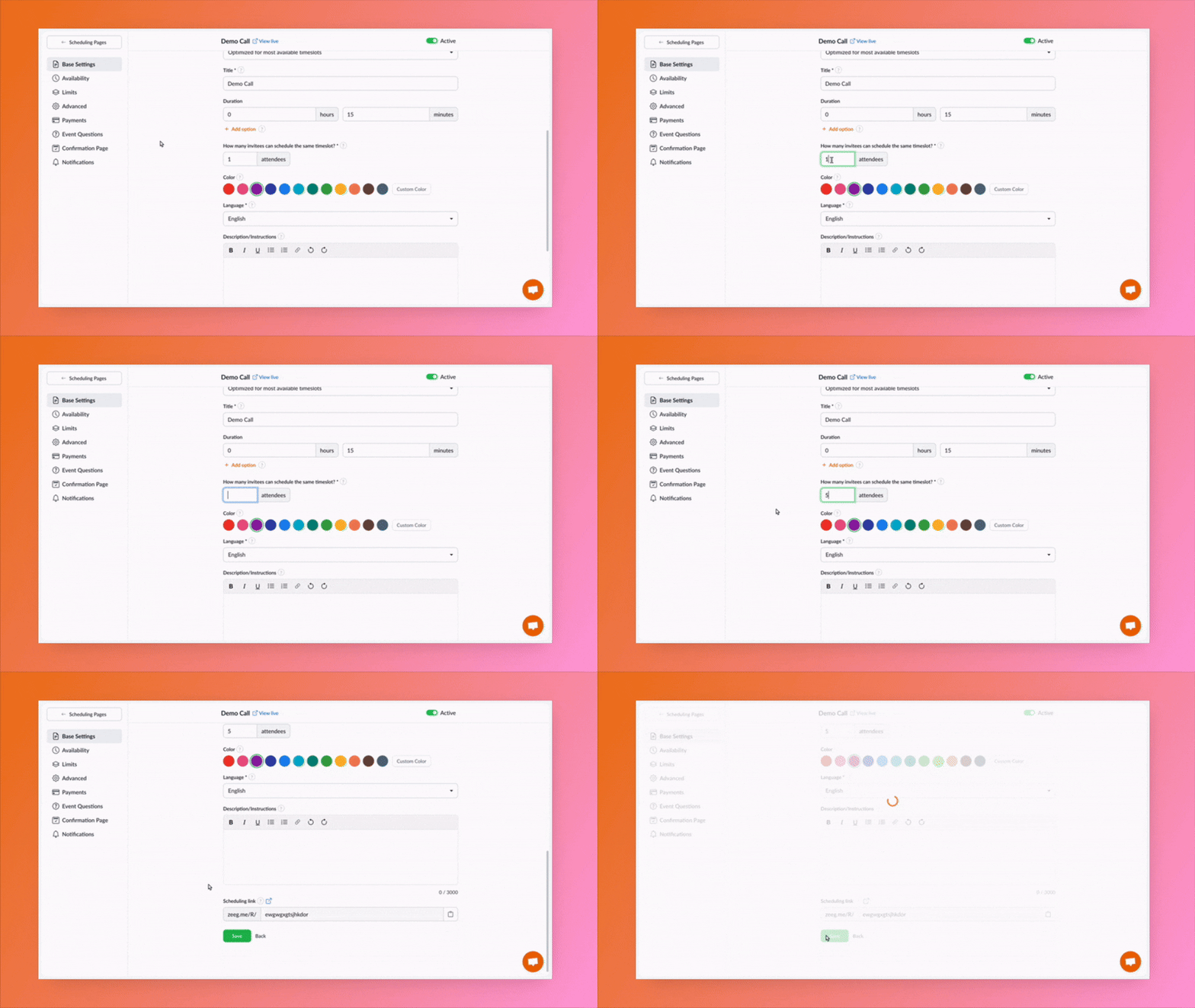
Set a maximum number of participants for each round-robin appointment
Use one appointment for multiple participants, ideal for training sessions and group consultations
Distribute bookings automatically to available team members
Always maintain an overview of available spots thanks to real-time updates
Where to find the new features?
Meeting Notes
You'll find the notes directly in your appointments:
Open the appointment details in your dashboard
The new "Notes" section appears directly below the appointment information
Record your thoughts and tasks
All notes remain permanently linked to the appointment
Capacity Management
You'll find the settings for group appointments here:
Navigate to the advanced settings of your round-robin booking page
Look for the "Participant Capacity" option
Adjust the maximum number of participants as needed
Availability
The meeting notes are now available to all Zeeg users. Capacity management for Round-Robin appointments is exclusively included in our Business and Enterprise plans.