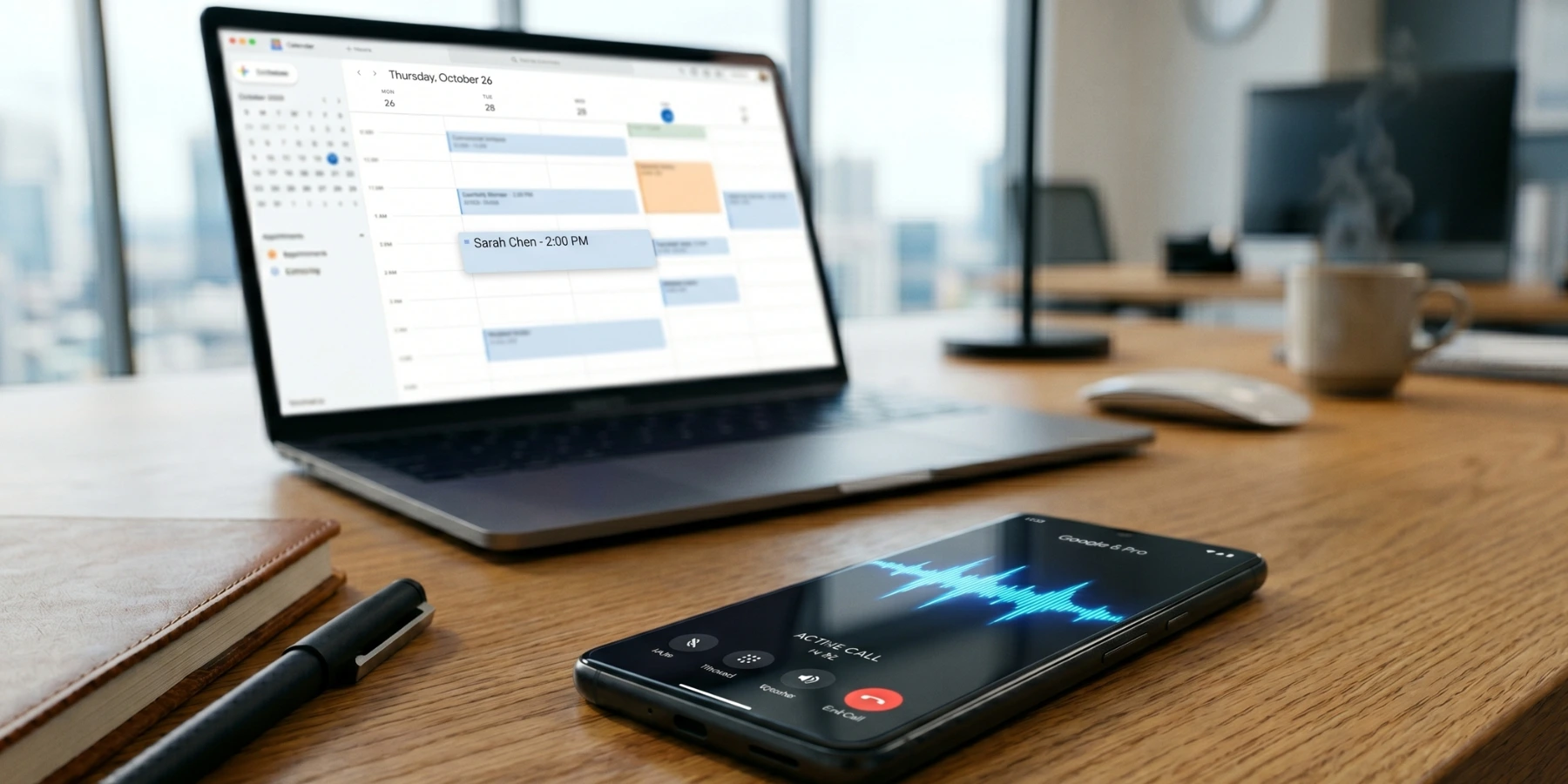
The 15 Best CRMs With Phone Integration in 2026


Logging calls by hand after every conversation is admin time taken straight out of selling time — and that time has a price. The median pay for a wholesale and manufacturing sales representative in the United States was $74,100 a year, or $35.63 an hour, according to the most recent Bureau of Labor Statistics figures (May 2024).¹
Fewer companies have solved this than you would expect. Only 28.51% of EU enterprises used CRM software at all in 2025, according to Eurostat's annual survey of ICT usage in enterprises — 24.69% of small enterprises against 65.43% of large ones.²
This guide covers 15 CRMs with phone integration, from built-in dialers to deep VoIP connections, so your team can focus on selling instead of admin. Zeeg makes the list as Europe's leading AI voice agent platform with appointment scheduling and built-in management for customer data, completely GDPR-compliant.
What is a CRM with phone integration?
A CRM with phone integration is a customer relationship management system that either includes its own dialer or connects to a VoIP provider, so calls are placed, received and logged without anyone leaving the contact record. The table below compares the 15 covered in this guide.
Which CRM with a phone system is right for your team in 2026?
The right choice depends on whether calling is the centre of your workflow or a supporting feature, and on whether you want the phone system built in or supplied by a separate VoIP provider. The 15 options below cover both.
1. Zeeg — best for AI-powered call handling and scheduling

Starting with a platform with a unique angle, Zeeg combines appointment scheduling, a native AI voice agent, and its own contact management features, in one intuitive platform. Unlike CRMs that require you to integrate with an external phone provider, a booking tool, and contact management separately, Zeeg gives you all three at the same time.
The AI voice agent answers inbound calls and makes outbound calls on behalf of your business. It holds a real back-and-forth conversation with the caller, captures their details, understands their intent, and books the right meeting directly into the right calendar. Everything logs automatically to Zeeg's built-in contact management, including a full call transcript with timestamps.
This is no longer an unusual thing for a European business to be doing. Eurostat found that 19.95% of EU enterprises used at least one AI technology in 2025, up 6.47 percentage points on the year before, and that marketing or sales was the single most common purpose — cited by 34.70% of the enterprises using AI.³
Key phone integration features:
- Native AI voice agent for both inbound and outbound calls
- Fully conversational — understands caller intent and responds naturally
- AI receptionist that answers calls 24/7
- Smart routing rules written in plain language (e.g. "if the caller mentions onboarding, book an onboarding call")
- Auto-captures name, email, company, and custom data during the call
- Full call transcript and call cost visible in the database after every call
- Buy a local number directly in Zeeg or import your existing number via SIP
- Works alongside HubSpot, Salesforce, Pipedrive, and other CRMs your team already uses
For sales and support teams, the difference shows up most clearly in what happens to inbound calls that nobody picks up — and plenty of demand arrives when nobody is there to answer, with a third of bookings made outside office hours. Instead of going to voicemail, those calls become booked meetings. The agent qualifies the caller, applies your routing rules, and lands the appointment in the right person's calendar.
Setup takes minutes, too. Just pick a template like Appointment Booker, Sales Qualifier, or Support Callback, choose your number, define routing rules, and test it directly from your browser before going live.
Pricing⁴: Free scheduling plan available. The AI voice agent is sold as a standalone monthly minute bundle and does not require a paid scheduling plan. Bundles start at $49/month billed annually for 250 inbound minutes. Minutes start at roughly $0.11 per inbound minute and €0.15 per outbound minute.
2. HubSpot CRM — best for all-in-one teams

Right after Zeeg, HubSpot CRM is one of the most common starting points for teams that want phone integration without committing to a separate calling tool. Its free plan includes a built-in calling feature that lets reps dial directly from the contact record, with calls automatically logged in the activity timeline.
On paid plans, HubSpot integrates with VoIP providers like Aircall, Kixie, and JustCall, which unlock more advanced calling features like power dialers, local presence, and call recording that flows directly into the deal timeline.
Key phone integration features:
- Native calling from contact and deal records
- Call recording and transcription (paid plans)
- Automatic call logging to contact timelines
- Integrations with Aircall, Kixie, RingCentral, and more
The catch is that you need HubSpot's Sales Hub to access deeper calling functionality, and pricing piles up fast once you move beyond the free plan. Still, for teams already using HubSpot across marketing and sales, the calling features fit into the existing workflow easily.
Pricing⁵: Free plan (with limitations) available. Sales Hub paid plans start at $15/user/month (Starter).
By the way, here's more on HubSpot:
3. Salesforce — best for enterprise-level customization

Speaking of scale, Salesforce is the CRM most large sales organizations already know. It doesn't come with a built-in phone system, but its AppExchange marketplace gives access to a wide range of VoIP integrations including RingCentral, Dialpad, and Kixie (which we will get to in a second), that plug directly into the platform.
Once a VoIP provider is connected, reps get click-to-call from any record, screen pops on incoming calls, automatic activity logging, and real-time call data visible in dashboards. For companies with complex, customized Salesforce setups, this flexibility is actually an advantage as you can choose the phone provider that fits your call volume and workflow the best.
Key phone integration features:
- VoIP integration via AppExchange (RingCentral, Dialpad, Kixie, and more)
- Click-to-call from any contact, lead, or opportunity
- Automatic call logging and activity tracking
- Screen pops showing full CRM context on inbound calls
The trade-off is how complicated it can get. Setting up and managing these integrations requires admin support, and costs add up quickly at the enterprise level. Smaller teams may find it more setup work than it's worth.
Pricing⁶: Salesforce's pricing starts at $25/user/month (Starter Suite). Advanced editions cost a lot more.
Again, more on Salesforce:
- Salesforce Pros and Cons
- Salesforce Sales Cloud Features, Pricing and More
- Is Salesforce Worth It for Small Businesses?
- Salesforce Small Business Pricing
4. Zoho CRM — best for SMBs wanting breadth at low cost
As for value, Zoho CRM is regarded as one of the most affordable CRMs out there with phone system integration. It supports native telephony features through Zoho PhoneBridge, which connects the CRM to dozens of phone providers including RingCentral, Twilio, Vonage, and others.
Once connected, calls can be initiated from within the CRM, inbound calls trigger screen pops with full contact history, and all activity logs automatically. Zoho's AI assistant, Zia, can also analyze call outcomes and help with follow-up prioritization on higher-tier plans.
Key phone integration features:
- Native telephony via Zoho PhoneBridge
- Click-to-call, screen pops, and automatic call logging
- Integrations with RingCentral, Twilio, Vonage, and more
- AI-assisted insights on call outcomes (Enterprise and above)
The depth of Zoho's product suite (including Zoho Desk, Zoho Campaigns, and Zoho Analytics) means teams can build a fairly complete customer operations stack without having to leave Zoho. The learning curve is real, though, and advanced features require higher-tier plans.
Pricing⁷: Free plan for up to 3 users. Paid plans start at $14/user/month (Standard, billed annually).
5. Freshsales — best built-in phone for growing teams

Along similar lines but leaner in approach, Freshsales is one of the few CRMs that ships with a genuinely built-in phone system with no third-party VoIP provider needed to get started. Reps can call directly from the CRM, numbers are provisioned in-app, and all call activity is logged automatically.
The built-in telephony covers call recording, voicemail, call transfer, and a call log tied to each contact. On higher plans, AI-powered lead scoring and workflow automation make it easier to act on call outcomes without extra manual steps.
Key phone integration features:
- Built-in phone system with number provisioning
- Call recording, voicemail, and call transfer
- Auto-logging of all calls to contact records
- AI lead scoring and automated follow-ups (Growth plan and above)
Freshsales is useful for teams that don't want to manage multiple vendor relationships. One limitation worth noting, though, is that the mobile capabilities are lighter compared to the desktop experience, and some advanced workflow features require the Pro plan or above.
Pricing⁸: Free plan available (up to 3 users). Paid plans start at $9/user/month (Growth, billed annually).
6. Pipedrive — best for sales-focused teams with a preferred VoIP tool
On the more focused end of the spectrum, Pipedrive is a sales CRM built around deal tracking and pipeline management. It doesn't have a native phone system, but its integrations with Aircall, Kixie, CloudTalk, and JustCall are among the tightest in the CRM market.
What "tight" means in practice is that calls made through these integrations log automatically to the relevant deal and contact in Pipedrive, complete with duration, recording, and outcome. Kixie's integration, for example, syncs at the contact, organization, and deal level, which is notably more granular than what many other CRMs offer.
Key phone integration features:
- Deep integrations with Aircall, Kixie, CloudTalk, JustCall, and others
- Call logging at contact, organization, and deal level (varies by provider)
- Click-to-call, caller ID with CRM context, and call recording
- Mobile access with offline sync
Pipedrive keeps the core interface clean and fast, which makes it popular with sales reps who want speed over complexity. It won't win on breadth, though, as you'll need separate tools for marketing automation or customer support, but as a CRM with phone system integration for outbound sales, it's well-regarded.
Pricing⁹: Pipedrive's pricing starts at $14/user/month (Essential, billed annually). No free plan. Is Pipedrive free to use? Here's what you need to know
Read more on Pipedrive:
7. Close CRM — best for inside sales teams that live on the phone
Now, if phone is truly at the heart of your sales process, Close CRM was built with exactly that in mind. Unlike most CRMs where calling is a feature added on top, Close treats calling as a first-class part of the workflow. It has a native built-in dialer, SMS, and email all in one place with no integrations required to get started.
The Power Dialer lets reps work through a list of contacts automatically, logging dispositions, recording calls, and moving to the next contact without manual intervention. Local presence calling is available on higher plans.
Key phone integration features:
- Native built-in dialer and Power Dialer
- SMS and email alongside calling in a single interface
- Automatic call logging, recording, and disposition tracking
- Local presence dialing
Close tends to work best for inside sales teams doing high-volume outbound. The trade-off is that it's less versatile than broader CRMs as it doesn't come with incredibly advanced marketing automation or customer service tools. Teams that need a focused, call-heavy workflow often find it faster to adopt than a sprawling platform.
Pricing¹⁰: Close CRM's pricing starts at $49/user/month (Startup). A free trial is available.
8. Kixie — best for outbound calling built on top of your existing CRM

Pivoting to a slightly different model, Kixie is a sales engagement platform that layers calling and SMS on top of CRMs like HubSpot, Salesforce, Pipedrive, and Zoho. Because of how deeply it integrates, it effectively becomes the phone system within your CRM.
The setup is quite fast. In fact, Kixie claims you can pair it with your CRM in under three minutes, which is unusual in this space. Its PowerCall Chrome Extension pulls contact data directly from the CRM and lets reps log notes, call outcomes, and scheduled follow-ups without switching windows.
Key phone integration features:
- CRM-embedded dialer via Chrome extension and desktop app
- Automatic call logging with context at contact, org, and deal level
- Power Dialer with local presence calling and voicemail drop
- SMS automation alongside calling
For teams already committed to a specific CRM who want to add serious calling capability, Kixie is a practical choice. It's built for outbound volume rather than inbound complexity, so customer support teams might find the feature set narrower than expected.
Pricing¹¹: Starts at $35/user/month (Integrated). Pricing scales with features.
9. Aircall — best for inbound-focused teams
On number nine, Aircall comes at phone-CRM integration from the telephony side rather than the CRM side. It's a cloud phone system that, according to Aircall, integrates with over 80 CRMs and business tools, including HubSpot, Salesforce, Pipedrive, Zoho, and Zendesk.
When a call comes in, Aircall surfaces the customer's full CRM profile via a screen pop. After the call, notes, tags, and recordings sync back to the CRM automatically. It also supports IVR menus, call routing, and real-time call monitoring, which are features that matter for teams handling inbound call volume as well as outbound prospecting.
Key phone integration features:
- Integration with 80+ CRMs and business tools (per Aircall)
- Screen pops on inbound calls with full contact history
- Automatic post-call sync of notes, tags, and recordings
- IVR, call routing, and real-time monitoring
Aircall's strength is configuration flexibility for inbound flows. The depth of the CRM sync varies by connector, though: calls log to contacts, but deal-level logging is not available for every integration, which makes it less granular than Kixie's. The three-user minimum also sets a floor on cost for very small teams.
Pricing¹²: Starts at $30/user/month (Essential). Minimum 3 users required.
10. JustCall — best for multi-channel sales (calling + SMS)

Continuing the trend of telephony-native tools, JustCall combines calling and SMS within a single platform and, by its own count, connects to over 100 CRMs and business tools. Where it especially stands out is SMS as it includes automated SMS sequences alongside calling, which most pure VoIP tools don't offer natively.
CRM integrations sync call and SMS history automatically to contact records in HubSpot, Salesforce, Pipedrive, and others. JustCall also includes a predictive dialer and a dynamic dialer for higher-volume outbound scenarios.
Key phone integration features:
- Combined calling and SMS in one platform
- Integrations with 100+ CRMs including HubSpot, Salesforce, and Pipedrive (per JustCall)
- Predictive dialer and dynamic dialer for outbound teams
- Automated SMS sequences and follow-ups
Teams that rely on both phone and text for follow-up get one workflow instead of two tools. The trade-off is that capability is spread across tiers rather than bundled, so the dialers and automation that make the platform worth adopting sit above the entry plan.
Pricing¹³: Starts at $19/user/month (Team, billed annually).
11. RingCentral — best for unified business communications

On a bigger scale, RingCentral is one of the most established names in business communications, combining voice, video, messaging, and team collaboration under one platform. CRM integration is available on higher plans and covers most major platforms like Salesforce, HubSpot, Zendesk, and many more.
With the CRM connected, reps get single-click dialing, automatic call logging, and screen pops for incoming calls. RingCentral also offers AI-powered transcription, automated call summaries, and predictive analytics: features that are quite relevant for larger teams tracking call performance at scale.
Key phone integration features:
- Integrations with Salesforce, HubSpot, Zendesk and, per RingCentral, 300+ other tools
- Click-to-dial, screen pops, and automatic call logging
- AI transcription, automated summaries, and call analytics
- Voice, video, messaging, and collaboration in one platform
RingCentral is a strong fit for larger organizations that want one platform for all communications. The catch is specific to this list: CRM integrations are locked behind the Advanced and Ultra plans, so the price that actually matters for a CRM buyer is the Advanced tier, not the headline entry figure.
Pricing¹⁴: Starts at $20/user/month (Core). CRM integrations available from $25/user/month (Advanced).
12. CloudTalk — best for call centers with CRM integration needs

For teams running something closer to a call center operation, CloudTalk is a cloud-based phone system with a strong set of calling features (power dialer, predictive dialer, smart dialer) and solid integrations with CRMs like Salesforce, HubSpot, and Pipedrive.
Two-way sync with connected CRMs keeps contact and call data consistent across platforms. Reps can see full customer history before picking up, and call outcomes log back to the CRM automatically. CloudTalk also includes IVR, call queues, and real-time call monitoring.
Key phone integration features:
- Power, predictive, and smart dialer options
- Two-way sync with Salesforce, HubSpot, and Pipedrive
- IVR, call queues, and real-time call monitoring
- Automatic call logging with full contact context
CloudTalk is a reasonable fit for businesses that handle high call volumes and need a more structured call center setup alongside CRM data. It is squarely a call-centre product rather than a CRM, so it assumes you already have somewhere for the contact data to live.
Pricing¹⁵: Starts at $25/user/month (Starter, billed annually).
13. Zendesk Sell — best for support-sales hybrid teams

Now for a slightly different use case: Zendesk Sell is the sales CRM component of the Zendesk platform, designed to work alongside Zendesk's customer support tools. That context matters for phone integration, because it means your sales calls and support interactions can share the same customer record.
Zendesk Sell includes built-in calling with automatic logging, call recording, and the ability to initiate calls directly from contact or deal records. The connection to Zendesk Support adds visibility into a customer's support history right from the sales side.
Key phone integration features:
- Built-in calling with automatic call logging
- Call recording and click-to-call from contact records
- Shared customer data with Zendesk Support
- Mobile app with calling features on the go
The platform makes most sense for companies already using Zendesk for support who want to unify their sales process in the same system. As a standalone sales CRM, the feature depth is lighter than some alternatives on this list.
Pricing¹⁶: Starts at $19/user/month (Sell Team, billed annually).
14. Keap — best for small businesses wanting a simple phone setup

Circling back to simplicity, Keap takes a different angle: rather than integrating with an external VoIP system, it provides a dedicated business phone number directly within the app where it lets users keep personal and business calls completely separate.
The business number supports unlimited calls and texts, auto-replies for missed calls, and automated lead capture through forms and landing pages. All call activity connects to Keap's built-in CRM, so contact history stays current without manual logging.
Key phone integration features:
- Dedicated business phone number within the app
- Unlimited calls and texts
- Auto-replies for missed calls and voicemail
- Automated lead capture and CRM logging
Keap is more for small business owners and solo operators who want a combined CRM and phone setup without the complexity of managing integrations. Pricing is structured per account rather than per user at entry level, which works well for small teams but becomes less cost-effective as you grow.
Pricing¹⁷: Starts at $249/month (for 2 users). Free trial available.
15. Monday CRM — best for visual pipeline teams adding phone features

Wrapping up the list, Monday CRM has grown from a project management platform into a credible sales pipeline tool with increasing support for phone integration through its app marketplace. It connects with Aircall, JustCall, and other VoIP providers to add calling and logging capabilities to an otherwise clean, visual workflow interface.
Call activity syncs back to the relevant contact or deal board in Monday, keeping everything visible in the pipeline view. If your team already uses Monday.com for project work, adding CRM features in the same interface removes the need for a separate tool.
Key phone integration features:
- VoIP integrations via Monday's app marketplace (Aircall, JustCall, and others)
- Call activity logged to deal and contact boards
- Visual pipeline with CRM fields and automation
- Mobile app with pipeline access
Monday CRM's strength is ease of adoption for teams familiar with Monday's interface. Where it's thinner is that phone capabilities depend entirely on third-party integrations, and the CRM feature depth doesn't quite match purpose-built sales CRMs at the higher tiers.
Pricing¹⁸: Starts at $12/user/month (Basic, billed annually, minimum 3 users).
Sources
- U.S. Bureau of Labor Statistics — Occupational Outlook Handbook: Wholesale and Manufacturing Sales Representatives
- Eurostat — E-business integration (ICT usage in enterprises, 2025 survey)
- Eurostat — Use of artificial intelligence in enterprises
- Zeeg — Pricing
- HubSpot — Sales Hub pricing
- Salesforce — Pricing
- Zoho CRM — Pricing
- Freshworks — Freshsales pricing
- Pipedrive — Pricing
- Close — Pricing
- Kixie — Pricing
- Aircall — Pricing
- JustCall — Pricing
- RingCentral — Plans and pricing
- CloudTalk — Pricing
- Zendesk — Pricing
- Keap — Pricing
- Monday.com — Pricing
Zeeg is Europe's leading AI voice agent and appointment scheduling software in one solution — GDPR-compliant, made in Germany. Start for free →
Frequently Asked Questions
Does CRM phone integration work for inbound calls too?
Yes, most CRM phone integrations handle both inbound and outbound calls. For inbound, the key feature is the screen pop: when a call comes in, the CRM automatically surfaces the caller’s record so the rep has full context before answering. After the call, activity logs, notes, and recordings sync back to the record automatically. Tools like Aircall and RingCentral are particularly strong on inbound handling, with support for IVR menus, call routing rules, and call queues. Zeeg takes this further with its AI voice agent — Europe’s leading AI phone assistant and appointment scheduling software in one solution, GDPR-compliant, made in Germany — which handles inbound calls entirely autonomously, qualifying the caller and booking the meeting without a human ever picking up.
What's the difference between a VoIP integration and a built-in phone system in a CRM?
A built-in phone system means calling lives natively inside the CRM, so you don’t need a separate tool — Freshsales and Close CRM are good examples. A VoIP integration means you connect an external phone provider (like Aircall, RingCentral, or JustCall) to your CRM, and the two systems communicate via API. Built-in options are simpler to set up and manage. VoIP integrations give you more flexibility to choose a calling tool that fits your specific call volume, routing needs, or team size. Neither is inherently better: it depends on how central calling is to your workflow and whether you already have a phone system you’re happy with.
Can call dialers integrate with CRM?
Yes, and this is one of the most common phone integration setups. Tools like Kixie, Aircall, JustCall, CloudTalk, and RingCentral are dedicated dialers or phone systems that connect with CRMs through native integrations or APIs. When a call is made or received through the dialer, it logs automatically to the relevant CRM record. Some dialers go further, pulling CRM data into the call interface so reps see the contact’s full history before the call connects. The tightness of this sync varies by provider: some log only to contacts, while others sync at the contact, organization, and deal level simultaneously.
Can you use a CRM on your phone?
Yes, most modern CRMs have mobile apps for iOS and Android that give access to contacts, deals, pipelines, and activity logs from your phone. Some CRMs, like Freshsales, Keap, and Close CRM, also allow you to make and receive calls directly through the mobile app using the built-in phone integration. Others, like HubSpot and Salesforce, offer mobile access to CRM records but rely on a connected VoIP app for the calling piece. The mobile experience varies considerably between platforms: full-featured calling on desktop doesn’t always translate one-for-one to the mobile app.
What are the 4 types of CRM?
The four main categories are operational, analytical, collaborative, and strategic. Operational CRMs focus on automating day-to-day processes like sales pipelines, contact management, and follow-up workflows. Analytical CRMs prioritize data: reporting, forecasting, and identifying patterns in customer behavior. Collaborative CRMs are designed to share customer information across departments, ensuring that sales, support, and marketing are working from the same context. Strategic CRMs take a longer view, focusing on customer relationships over time rather than individual transactions. Most modern CRM platforms combine elements of all four, though they tend to emphasize one category over the others.
What is a CRM phone system?
A CRM phone system is the combination of a customer relationship management platform with phone calling features — either through a built-in dialer or a VoIP integration. The core idea is that calls are made and received from within the CRM itself, with all activity (call duration, recordings, notes, outcomes) automatically logged to the relevant contact or deal record. This removes the need for manual logging and gives sales and support teams a complete view of every customer interaction in one place.