
Is Salesforce Worth It for Small Businesses in 2026?


There's no doubt that Salesforce leads the market with its strong features and advanced capabilities, but does it really make sense for smaller companies, and will the investment actually pay off?
In this detailed guide, we'll have a look at everything Salesforce has to offer small businesses and whether it's worth the investment. We'll also introduce Zeeg, a budget-friendly AI voice agent and scheduling software leading in Europe, designed for small businesses that need powerful customer management and full GDPR-compliance. Let's have a look.
The evolution of Salesforce for small businesses
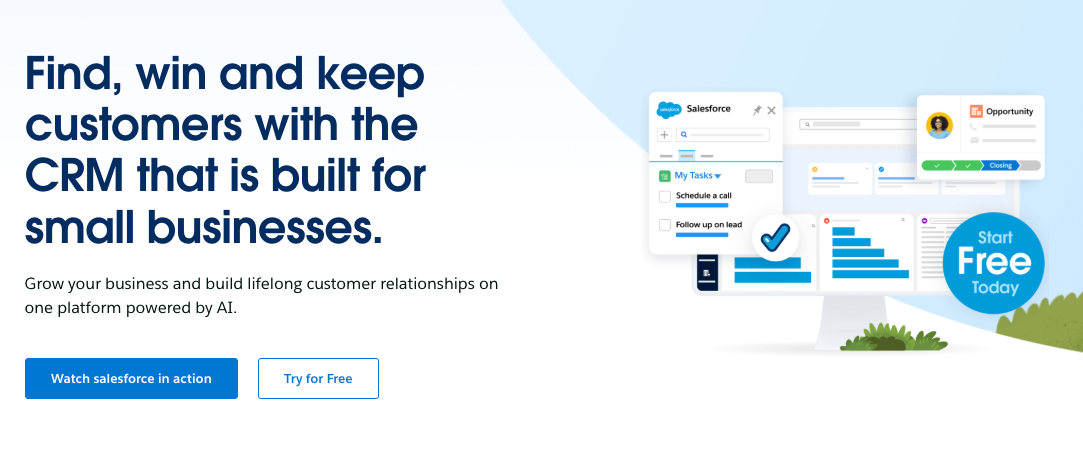
Now, Salesforce has evolved itself from a simple contact management software into an enterprise-level platform with various "clouds" or modules that handle different aspects of business operations. The Sales Cloud manages leads, opportunities, and your sales pipeline. The Service Cloud handles customer support and service requests. Marketing Cloud coordinates marketing campaigns and customer communications, while Commerce Cloud powers e-commerce operations.
For small businesses, the most relevant starting point happens to be Salesforce Sales Cloud, which focuses on core sales functions and customer relationship management. With Sales Cloud, you get all the essential tools that most small businesses need to organize their customers' data and sales processes.
Salesforce small business editions
Knowing that small businesses have different needs than larger enterprises, Salesforce has specific editions specifically built for smaller companies with simpler requirements and tighter budgets.
Salesforce Essentials: The entry point
Salesforce Essentials is the company's entry-level offering designed for small business needs. This edition includes contact and account management, lead tracking and opportunity management, email integration with Gmail or Outlook, mobile access, as well as basic reporting tools. The customization options are intentionally limited to keep the system simple and manageable.
Essentials is designed to be easier to set up and simpler to use than the more advanced, complex Salesforce editions. It's especially aimed at companies with up to 10 users who need core CRM features without lots of customization or workflows. This makes it an ideal starting point for small businesses moving from spreadsheets or basic contact management systems.
Professional Edition: Room to grow
As companies expand beyond the basics, they often consider upgrading to the Professional Edition. This edition adds more advanced forecasting features, collaboration tools for better team coordination, campaign management features, enhanced reporting and dashboards, and extra customization features that allow businesses to tailor the system to their specific processes.
The Professional Edition works well for small-to-medium businesses that need more advanced sales tools and have outgrown the limitations of the Essentials package. It gives you the flexibility to create custom sales processes with the user-friendly approach that makes Salesforce accessible to smaller teams.
By the way, we have more articles on Salesforce for further reading:
- Salesforce Pros and Cons
- Salesforce Sales Cloud Features: Pricing & More
- Salesforce Pricing
- Salesforce Alternatives for Small Businesses
Key features that make Salesforce good for small businesses
Now that we’ve covered the basic editions, let’s have a look at what actually makes Salesforce valuable for small businesses. To begin with, those that implement the platform usually get tons of value from Salesforce’s small business editions using several core features that address common difficulties in customer management and sales processes.
Centralized customer management
One of the most immediate benefits of Salesforce for small businesses is saying goodbye to scattered contact information across spreadsheets, email inboxes, and business cards. Instead, Salesforce gives you an extensive view of each customer, including their complete history with your company, communication preferences, purchase history, and detailed interaction logs. This unified profile helps everyone on your team deliver more personalized service and avoid the embarrassing situation of asking customers to repeat information they've already provided.
Sales pipeline visibility
Salesforce also gives you crystal-clear visibility into your entire sales process from initial lead to closed deal. The system shows exactly where each potential sale stands, what actions need to happen next, and who's responsible for moving it forward. This transparency helps prevent deals from slipping through the cracks and gives managers a clearer picture of upcoming revenue, which is extremely important for cash flow planning in small businesses.
Intelligent task management
As for task management, Salesforce keeps track of follow-ups, meetings, and other activities tied to specific customers or deals for you. It can automatically remind team members about important tasks to make sure that the follow-through stays consistent and customer service professional. This automation is useful for small businesses where team members often have multiple responsibilities and can easily lose track of important customer touchpoints.
Email integration
Integrating Salesforce with your email system means emails are automatically logged with the relevant customer records. This integration saves a lot of time on manual data entry and makes sure that all customer communications are tracked in one place, regardless of which team member handles the interaction. The system can even suggest which contacts should be included in email communications based on the customer's history and preferences.
Mobile accessibility
What about when you’re on the go? Salesforce’s mobile app gives your team access to customer information wherever they are. Sales reps can update records immediately after meetings, check contact details before calls, and log activities while the information is fresh in their minds. This comes especially handy for small businesses where team members often work outside the office or travel to meet clients.
Data-driven insights
Understanding what's working and what isn't becomes much easier with Salesforce's built-in reporting tools. The system gives you visual dashboards that show sales performance, lead sources, conversion rates, and other key metrics that help small businesses make informed decisions. These insights can reveal patterns that might not be obvious otherwise, such as which marketing efforts generate the highest-quality leads or which sales approaches close deals most effectively.
How much does Salesforce cost for a small business?
Let's move on to the investment required as learning about Salesforce’s pricing for small businesses is obviously crucial, especially when you have to work with tight budgets. The platform uses a subscription-based model where you pay per user monthly or annually, with costs varying based on the edition you choose and your commitment level.
Salesforce Essentials: The affordable entry point
Salesforce Essentials costs $25 per user per month when billed annually, and is the most budget-friendly option for small business CRM needs. This edition supports up to 10 users and includes core sales and service features that many small businesses find sufficient for their initial CRM requirements.
Using Salesforce Essentials, you get basic contact management, opportunity tracking, and customer service software along with mobile access, standard reports, and integration with popular email platforms like Gmail and Outlook. For many small businesses, especially those transitioning from manual processes or basic systems, this level is an enormous upgrade without a big financial commitment.
Professional Edition: Even more capabilities
One tier above Salesforce Essentials, the Professional Edition costs $75 per user per month when billed annually and has even more features than the Essentials plan for small businesses that need more advanced features. This edition includes lead scoring capabilities, campaign management tools, collaborative forecasting features, and process automation that can save considerable time on routine tasks.
You’ll get tons of value from this edition through more advanced reporting tools, forecasting features that help predict future sales, as well as deeper customization options. You can create more tailored sales processes and implement automation that reduces manual work. All in all, Salesforce Professional Edition makes more sense for businesses that have outgrown basic contact management and need stronger features to coordinate their team efforts and analyze their sales performance.
Enterprise Edition: Advanced functionality
While less common for small businesses, the Enterprise Edition at $150 per user per month might be considered by companies with complicated sales processes or specific compliance requirements. This plan comes with advanced customization options, sophisticated workflow automation, and extensive integration capabilities that can integrate with other business systems.
As you may have already guessed, most small businesses don't start with the Enterprise Edition, but some may find it necessary if their industry requires specific compliance features or if they need advanced territory management features. The decision to move to this level usually comes after a business has grown a lot or has very specific requirements that lower plans just can't tackle.
Additional cost considerations for Salesforce small business implementation
Now that we've covered the base subscription, let's talk about the hidden expenses you may come across. The monthly subscription is just the beginning of your investment in Salesforce for small businesses. There are some additional costs that can impact your total budget, and understanding these upfront helps avoid unpleasant surprises later.
Implementation and setup expenses
Unless you have an existing Salesforce expertise within your team, you'll likely need professional help to set up the system properly. Basic setup assistance usually costs between $1,000 and $5,000 depending on your requirements and how much customization you need. More complicated implementations that involve custom workflows, data migration from multiple sources, or integration with other business systems can cost $10,000 or more.
Many small businesses underestimate the importance of proper implementation, but this initial investment often determines whether your team will embrace the system or struggle with it. Working with experienced consultants during setup can prevent costly mistakes and make sure your Salesforce instance is configured to match your actual business processes instead of forcing you to adapt to generic workflows.
Data migration challenges
Moving your existing customer data into Salesforce requires careful planning and often professional assistance. How much this will cost you mostly depends on the quality and organization of your current CRM database. Simple migrations with clean, well-organized data might be handled internally, but most businesses find out they actually need help mapping fields correctly, cleaning up duplicate entries, and ensuring data integrity during the transfer.
This process can add anywhere from a few hundred to several thousand dollars to your implementation cost, again, depending on how much data you're moving and how complex your existing systems are. The investment in proper data migration pays dividends later by making sure your team can access accurate, up-to-date customer information from day one.
Training and adoption support
Your team needs training to use Salesforce effectively, and this means both direct costs and opportunity costs in terms of time spent learning instead of working with customers. Salesforce has built Trailhead, a free online learning platform with self-guided modules that can help your team learn the basics at their own speed.
But many businesses find that instructor-led training speeds-up adoption and helps teams understand how to apply Salesforce's features to their specific workflows. Formal training programs usually cost between $3,000 and $5,000 depending on the number of modules you need and whether training is delivered virtually or on-site. Even with professional training, expect each team member to spend several hours learning the system, which is an indirect cost in reduced productivity during the transition period.
Ongoing maintenance and administration
Salesforce requires regular maintenance to remain effective as your business grows. Someone needs to update workflows, manage user permissions, create new reports, and maintain data quality. Small businesses rarely have the luxury of a dedicated Salesforce administrator, so these tasks usually fall to someone who has other primary responsibilities.
The ongoing administrative burden is often underestimated but can become heavy over time. Without proper maintenance, your Salesforce instance can become cluttered with outdated information and inefficient processes, which will gradually reduce its effectiveness and user satisfaction sooner or later.
Benefits of Salesforce CRM for small businesses
But what about the actual advantages you'll get? Small businesses that successfully implement Salesforce often experience transformative changes in how they manage customer relationships and sales processes. While the initial investment can seem a lot, the potential benefits frequently translate into measurable business improvements.
Enhanced customer relationship management
Salesforce creates an extensive repository for all customer information to give everyone on your team access to the same current data. This unified view helps small businesses deliver more personalized customer experiences that rival those of much larger companies. When a customer calls with a question, anyone in your organization can immediately see their complete history, including past purchases, service interactions, and preferences.
This level of customer insight allows small businesses to compete more effectively with larger competitors by giving them superior service. Customers notice when your team remembers their preferences and can reference previous conversations without asking them to repeat information. This professional approach builds trust and encourages customer loyalty, which is valuable for small businesses that depend on repeat customers and referrals.
Sales pipeline clarity
One of the biggest advantages of Salesforce for small business users is accessing clear visibility into their sales pipeline. Instead of relying on individual salespeople's memory or scattered spreadsheets, managers can see exactly where each opportunity stands, which deals are likely to close, and which ones need immediate attention.
This visibility enables more accurate forecasting, which is extremely important for small businesses that need to make smart decisions about hiring, inventory, and cash flow. Understanding your sales pipeline also helps identify bottlenecks in your process and opportunities for improvement. You might find out that deals consistently stall at a specific stage which indicates a need for better sales materials or different approaches.
Operational efficiency through automation
Salesforce can automate many routine tasks that previously took your team's valuable time. The system can automatically send follow-up emails, update contact information, assign tasks to team members, and generate reports without anyone having to manually intervene. For small businesses where team members often handle multiple responsibilities, this automation can free up significant time for more productive activities.
The time savings from automation compounds over time. Instead of spending hours each week on administrative tasks, your team can focus on building relationships, developing new business, and improving your products or services. This efficiency gain often justifies the cost of Salesforce implementation within the first year.
Improved team coordination
Even small businesses with just a few employees benefit from better team coordination. Salesforce has tools that help team members work together more effectively by sharing information about customer interactions, coordinating follow-ups, and ensuring smooth handoffs between different team members.
You will take even more advantage of this as your business grows and different team members specialize in different aspects of customer relationships. Sales reps can easily hand off new customers to service teams, while managers can monitor overall performance and identify coaching opportunities.
Data-driven decision making
Salesforce's reporting and analytics features give small businesses access to insights that were previously available only to larger companies with dedicated analytics teams. You can now track conversion rates, average deal sizes, sales cycle lengths, and other key performance indicators that help you understand what's working and what needs improvement.
These allow small businesses to make decisions based on actual data instead of assumptions or gut feelings. For example, you might find out that certain marketing channels produce higher-quality leads, that specific sales approaches close deals more effectively, or that particular customer segments have higher lifetime values.
Problems small businesses face with Salesforce
Let's be honest about the hurdles, though. Yes, Salesforce does indeed have tons of benefits, but small businesses should still know about potential challenges before making a full commitment.
Implementation complexity
Despite Salesforce's efforts to make their small business edition more accessible, many small business owners find the implementation process more difficult than expected. The system has extensive customization options, which can feel overwhelming without a clear implementation plan. Many small businesses underestimate the time and expertise needed to configure Salesforce properly which may lead to frustration and incomplete implementations.
Even with Salesforce Essentials, the most basic version, you'll still face a learning curve that can be steeper than you thought. Without dedicated IT staff, small businesses may struggle to configure the system to match their specific workflows and processes. In other words, what initially seems like a simple setup can quickly become complicated when you start tailoring the system to your (unique) business requirements.
User adoption problems
Getting your team to use Salesforce consistently is perhaps the biggest challenge small businesses come across. Sales teams, in particular, tend to resist adopting new systems that look like an administrative burden to their already busy schedules. If your sales reps don't see immediate value or find the system cumbersome, they may continue using their familiar methods while only reluctantly updating Salesforce when required.
This partial adoption paves the way for incomplete data which will undermine the very benefits Salesforce is supposed to deliver. Without consistent use across your organization, you won't get the accurate reporting and complete customer view that justifies the investment. The system is only as valuable as the data it contains, and incomplete data leads to incomplete insights.
Administrative overhead
Once implemented, Salesforce requires ongoing maintenance and administration that many small businesses don't fully see coming. As your business evolves, you'll need to update workflows, modify field configurations, adjust reports, and manage user permissions. These tasks require someone with enough system knowledge, but small businesses rarely have the luxury of a dedicated Salesforce administrator.
The administrative burden then falls to someone who has other primary responsibilities, which leads to competing priorities that can eventually lead to system neglect. Without proper maintenance, your Salesforce instance can become cluttered with old information and inefficient processes to gradually reduce its effectiveness and user satisfaction.
Training requirements and ongoing learning
Salesforce's extensive functionality comes with a high learning curve that goes beyond just initial training. Your team also needs to understand not just how to use the system, but how to use it effectively for your specific business processes. Without adequate training, teams usually use only a fraction of what the system can actually do, which then reduces your ROI.
The learning doesn't stop after initial implementation. Salesforce regularly updates its platform with new features and interface changes, so ongoing education is important to stay up-to-date. For time-strapped small business teams, keeping up with these changes while managing daily operations can be a bit challenging.
Cost escalation beyond expectations
The base subscription fees are clearly stated, but the total cost of ownership may be more than what you expected. Small businesses frequently find out they need additional storage capacity, premium support options, or third-party applications to meet their specific requirements. These extras can increase your overall investment beyond the initial budget.
Is Salesforce worth the cost for small businesses?
So here's the million-dollar question: does the value justify the expense? The value equation for Salesforce CRM for small business depends entirely on your specific circumstances, but certain factors make it more likely to deliver a positive ROI.
When Salesforce makes financial sense
Salesforce for small businesses proves worthwhile when you have multiple salespeople who need to coordinate their efforts effectively. It gets the job done in preventing duplicate work, ensuring consistent customer communication, and maintaining detailed records that help team members pick up where others left off. This coordination proves to be a lot more valuable as your sales team grows beyond two or three people.
Companies with complicated sales cycles with multiple touchpoints, approval stages, or long decision-making processes also benefit from Salesforce's structured approach. The system helps track all the moving pieces, automate follow-ups, and make sure that nothing falls through the cracks during these extended sales processes.
Businesses where customer relationships extend well beyond the initial purchase (this can be service-based companies, consultancies, or subscription-based businesses) usually see strong returns from advanced customer management. The ability to track ongoing interactions, service history, and customer preferences creates opportunities for better service and increased customer lifetime value.
When alternatives might be better
For very small businesses with simple sales processes, Salesforce might be too much. A solo consultant tracking just a few dozen clients, for example, might find that simpler, less expensive solutions work just fine without the complexity and cost of Salesforce implementation.
Similarly, businesses with extremely tight budgets might find that the total cost of ownership, including implementation, training, and ongoing maintenance, exceeds the benefits they can reasonably expect to receive. In these cases, starting with a more affordable CRM and migrating to Salesforce later as the business grows might be a more practical approach.
The growth factor
Many small businesses choose Salesforce specifically because it's a platform that can grow with them. Starting with Essentials and gradually upgrading to Professional or Enterprise editions creates a technology path that doesn't require painful migrations to entirely new systems as your business expands. This scalability factor often justifies the initial investment for businesses with clear growth plans.
Meet Zeeg: A better alternative for small businesses

Look, we get it. You've read through all the Salesforce information, you're impressed by the features, but that price tag and complexity have you second-guessing everything. What if there was a platform that actually understood how small businesses work: without needing a technical degree to set up or a small fortune to maintain?
That's exactly why Zeeg was built in the first place. We're a platform for AI voice agents and appointment scheduling with a contact management layer built specifically for small businesses to combine powerful customer management with intelligent scheduling in a system your team can master in hours instead of months.
Built for small business reality: Unlike Salesforce, which adapts enterprise software for smaller companies, Zeeg was created from scratch with small business realities in mind. We start at just $10 per user monthly (less than half the cost of Salesforce Essentials) while giving you features that usually require Salesforce's higher-tier plans. Our Business plan at $16 per user monthly includes team scheduling, round-robin distribution, smart routing forms, as well as custom objects.
What you actually get: Contact and account management, lead tracking and qualification, intelligent appointment scheduling with automated reminders, email integration and automation, team collaboration tools, reporting and analytics, plus AI-powered phone answering that handles routine inquiries automatically. Unlike Salesforce's overwhelming options, Zeeg focuses on features small businesses actually use daily.
Scheduling meets contact management done right: When a prospect books through your Zeeg scheduling page, their information flows directly into your database as a qualified lead. Intelligent routing directs prospects to the right team members based on their responses to custom intake forms. Combined with round-robin features, Zeeg ensures fair meeting distribution while matching clients with the right specialist every time.
Simple pricing:
- Starter Plan: Free forever for solo users
- Professional Plan: $10/user/month (annual) or $12/user/month (monthly)
- Business Plan: $16/user/month (annual) or $20/user/month (monthly)
- Scale Plan: $30/user/month (annual) or $40/user/month (monthly)
Implementation takes days, not months: While Salesforce implementations take 2-6 months, Zeeg gets you running in days. Most small businesses are scheduling appointments and managing contacts within their first week. Plus, we're GDPR compliant with European server hosting, so your customer data stays protected without complex configurations.
Bottom line: Is Salesforce right for your small business?
Now comes the decision. Determining whether Salesforce is the right CRM for your small business means you need to carefully weigh its powerful features against the associated costs and complexity.
When Salesforce makes strategic sense
Salesforce for small businesses with complicated sales processes, multiple team members, and clear growth ambitions can give you a scalable platform that grows with your company. The advanced data management capabilities, process automation, and advanced reporting tools may justify the investment, especially if you need an advanced customer relationship management system that can handle increasing complexity over time.
Small businesses that work with high-value customers or have long sales cycles often find that Salesforce's detailed tracking and process management capabilities help them close more deals and maintain better customer relationships. The platform's ability to coordinate team efforts and maintain complete customer histories also proves to be highly valuable as your business grows and customer interactions become more complex.
When simpler solutions might be better
Many small businesses find out that more basic, affordable alternatives deliver enough functionality without the associated overhead. If your customer relationships are relatively simple, your sales process is simple, or your team shows resistance to adopting complex systems, starting with a more accessible CRM software might be more practical. Plus, you can always migrate to Salesforce later as your requirements become more sophisticated and your team becomes more comfortable with CRM concepts.
For most small businesses, especially those just starting their CRM journey, platforms like Zeeg give you the perfect balance: professional contact management features at affordable prices. You get all the essential features you need today with room to grow, all at a price point that makes sense for small business budgets.
Frequently asked questions (FAQ) about Salesforce for small business
Can a small business use Salesforce effectively?
Yes, small businesses can definitely use Salesforce effectively, and many do so successfully. Salesforce offers Essentials, a version especially designed for small business needs with simplified setup and core functionality. This edition supports up to 10 users and includes essential sales and service features without the complexity of enterprise-level offerings. Success usually depends on proper implementation, adequate training, and consistent team adoption of the system.
How much does Salesforce cost for a small company?
Salesforce pricing for small companies starts at $25 per user per month for the Essentials edition when billed annually. This entry-level package is designed specifically for small businesses with basic CRM needs. Companies requiring more advanced features can upgrade to the Professional edition at $75 per user per month or the Enterprise edition at $150 per user per month. Beyond subscription costs, small companies should budget for implementation assistance, training, potential data migration, and possible third-party integrations, which can increase the total investment.
Is Salesforce good for small businesses?
Whether Salesforce is good for small businesses depends on your specific needs, budget, and growth plans. For businesses with complex sales processes, multiple team members requiring coordination, or plans for significant growth, Salesforce can provide valuable capabilities that justify the investment. However, companies with simple sales processes, limited budgets, or very small teams might find that more affordable alternatives provide adequate functionality. The key is accurately assessing your current requirements while considering where your business is headed in the coming years.
What are the main alternatives to Salesforce for small business?
Several alternatives to Salesforce cater specifically to small business needs. Zeeg offers a solution designed specifically for small businesses, combining customer management with intelligent scheduling at prices starting from $10 per user monthly. HubSpot CRM has a very capable free version with the option to add paid features as needed. Zoho CRM also gets you advanced functionality at lower price points, starting at $14 per user monthly. Pipedrive focuses specifically on sales pipeline management with straightforward pricing and functionality. Freshsales combines CRM with built-in communication tools, while Microsoft Dynamics 365 has native integration for businesses already using Microsoft products. The best alternative depends on your specific requirements, budget, and existing technology infrastructure.
How long does it take to implement Salesforce for a small business?
Implementation timelines for Salesforce in small businesses typically range from 2-6 months, depending on complexity. A basic Salesforce Essentials setup with minimal customization might take 4-8 weeks, while more complex implementations involving data migration, custom workflows, and integrations can extend to 4-6 months. The timeline includes planning, configuration, data migration, training, and testing phases. In contrast, Salesforce alternatives like Zeeg can be implemented in days to weeks rather than months, making them more practical for small businesses that need to see results quickly.
Can I start with a free version of Salesforce?
Salesforce offers a limited free trial period but doesn't provide a permanently free version for small businesses. The Free Suite mentioned in some Salesforce materials is limited to 2 users and provides very basic functionality primarily intended for evaluation purposes. For businesses seeking truly free CRM options, alternatives like HubSpot offer more generous free tiers, while Zeeg provides a Starter plan that's free forever for solo users getting started with basic scheduling and customer management.
How does Salesforce handle data migration from my existing system?
Salesforce provides tools and services for data migration, but the process typically requires professional assistance for small businesses. The complexity and cost depend on your current system, data volume, and data quality. Simple migrations from spreadsheets or basic systems might cost $500-$2,000, while complex migrations from multiple sources or legacy CRM systems can cost $5,000-$10,000 or more. The process involves data mapping, cleaning, validation, and testing to ensure accuracy. Many small businesses find that working with Salesforce partners or consultants during migration prevents costly mistakes and ensures data integrity.
What support options does Salesforce offer for small businesses?
Salesforce provides different support levels for small businesses. The Standard Success Plan (included with all licenses) offers self-guided resources, knowledge articles, and community support. The Premier Success Plan (30% of license fees) provides expert guidance, health checks, and 24/7 support for critical issues. For small businesses, the included standard support may feel limited compared to alternatives like Zeeg, which offers responsive support across all plans without additional fees.
Zeeg is Europe's leading AI voice agent and appointment scheduling software in one solution — GDPR-compliant, made in Germany. Start for free →
%20(1).webp)


