
Salesforce Pros and Cons: Complete Guide for Decision-Makers


You've probably heard plenty about Salesforce being the world's leading CRM platform. But here's the thing - just because something dominates the market doesn't automatically make it right for your business. The reality is that Salesforce comes with both impressive capabilities and notable drawbacks that can make or break your CRM investment.
We're going to break down the real Salesforce pros and cons without the marketing fluff. You'll discover what makes this platform powerful for some organizations while understanding why others find it overwhelming and expensive. Plus, we'll show you where Zeeg, an AI voice agent and scheduling software with native contact management, made in Germany, covers the calls and appointments that Salesforce handles poorly, with simpler pricing and full GDPR compliance.
Let Zeeg's AI voice agent book meetings and pass every contact on to Salesforce.
Sign up for freeWhat is Salesforce CRM?
.webp)
Let's start with the basics, just in case. Salesforce operates as a cloud-based customer relationship management system that tries to handle everything - sales, marketing, customer service, and more. The company has been around since 1999 and has grown through major acquisitions like Slack (2021) and MuleSoft (2018).
And here's something else you need to know: Salesforce isn't just one product. It's an ecosystem of different "clouds" - Sales Cloud, Service Cloud, Marketing Cloud, Commerce Cloud, among others. Each serves different business functions, but they all come with separate prices, which, by the way, can add up quickly.
But that's enough of intros—let's get to the actual pros and cons of using Salesforce.
Salesforce pros and cons: Overview
For now, here's a breakdown of the benefits of Salesforce CRM alongside its key limitations:
The benefits of using Salesforce
Let's be honest about what Salesforce does well. Despite its complexities and costs, there are real benefits that explain why many large organizations stick with it.
1. Cloud accessibility that actually works
The platform delivers consistent uptime - we're talking 99.9% availability most of the time. Your team can access customer data from anywhere with decent internet, whether they're working from home, traveling, or sitting in a client's office. No more being tied to office computers or dealing with server crashes that take down your entire CRM.
Mobile apps work reasonably well too. Sales reps can update records, check customer info, and manage deals while they're out in the field. It's not perfect, but it gets the job done when you need it to.
2. Customization options (if you can handle the complexity and have budget)
This is one of the things Salesforce is good at. It might come with a significant cost, but you can have it. Basically, you can bend it to match almost any business process. Want custom fields? You can have it, of course. Specific workflows? Also. Process Builder and Flow Builder let non-technical users create automated processes, though you'll still need some training to figure them out.
For more complex stuff, developers can write custom code. This flexibility means Salesforce can grow with your business and adapt to unique requirements that off-the-shelf solutions can't handle.
3. Integration possibilities
The AppExchange marketplace has over 4,000 third-party apps and integrations. Popular tools like Gmail, Outlook, QuickBooks, and DocuSign connect pretty seamlessly. The API capabilities mean you can integrate with virtually any business system if you have the technical know-how (or budget to hire someone who does).
Many organizations successfully connect Salesforce to their ERP systems, marketing tools, and accounting software. When it works, it creates a unified data flow that eliminates duplicate entry and gives you a complete view of each customer.
4. Scalability for growing businesses
Salesforce handles growth well. You can start with a small team and basic features, then add more users, functionality, and complexity as your business expands. The different edition levels provide upgrade paths, though each jump comes with significant price increases.
The platform manages increased data volumes and user loads without major infrastructure changes on your end. That's genuinely valuable for fast-growing companies that don't want to migrate to new systems every few years.
5. Analytics and reporting capabilities
Built-in reporting gives you real-time visibility into sales performance, customer service metrics, and marketing results. Dashboards can be customized to show the KPIs that matter to different roles. When set up correctly, managers get the insights they need to make informed decisions.
Einstein Analytics (now Tableau CRM) offers more advanced data visualization and predictive analytics. These tools help identify trends and forecast results, though they come at an additional cost and require training to use effectively.
6. Strong community support
The Salesforce Trailblazer Community connects users worldwide. You'll find knowledge sharing, best practices, and peer support that goes beyond official customer service. People genuinely help each other solve problems and share solutions.
Trailhead provides free online training that's actually pretty good. The gamified approach makes learning new features more engaging than typical software documentation. However, you'll still need significant time investment to become proficient.
Salesforce disadvantages you need to consider
Now let's talk about the real challenges. These salesforce limitations can seriously impact your implementation success and long-term satisfaction with the platform.
1. Pricing gets expensive fast
Here's where things get tricky, especially if you want to implement Salesforce on a small or medium business. Their pricing starts at $25 per user monthly for the Starter Suite, but that's just the beginning. Most businesses need higher-tier plans to access essential features, and costs escalate quickly.
The Pro Suite runs $100 per user monthly, while Enterprise jumps to $175 per user monthly. When you're looking at a team of 20 people, you're talking about $2,000-$3,500 monthly or $24,000-$42,000 annually just for licenses. Add implementation costs, training, and necessary add-ons, and you're looking at a substantial investment.
No free plan exists, unlike many competitors. The 30-day trial barely gives you enough time to understand whether the platform fits your needs, especially for complex business processes.
2. Add-ons pile up without warning
If you're looking into Salesforce alternatives already, this one won't make you change your mind. What starts as reasonable monthly costs often doubles or triples once you add necessary features. Extra storage costs $25 per gigabyte monthly. Advanced analytics, industry-specific tools, or enhanced security features all come with separate price tags.
Many critical features require additional purchases. For instance, Web Services API integration costs an extra $25/user/month on top of Pro Suite pricing. Data Cloud features are "available for purchase" on Enterprise and Unlimited plans, meaning more costs beyond base licensing.
You'll discover these additional costs during implementation when your consultant mentions that the feature you assumed was included actually requires another subscription. This creates budget surprises that can derail projects.
3. Learning curve is steep
Don't believe the "easy to use" marketing claims. Salesforce requires substantial training before users become productive. Basic tasks like creating reports or customizing layouts require understanding the platform's unique terminology and navigation.
New users can indeed feel overwhelmed by the interface. Finding specific functions requires navigating multiple screens and menus. And even experienced CRM users need weeks to feel comfortable with Salesforce's ways about common tasks.
So, in the end, your company needs to plan for significant training investment. Some companies spend months getting their teams up to speed, during which productivity typically decreases as people struggle with the new system.
4. Implementation complexity exceeds expectations
Successful Salesforce implementations rarely happen without professional help. Basic setup might cost $10,000-$50,000 for smaller organizations, while enterprise implementations often exceed $100,000.
Also, data migration presents particular challenges. Moving customer records, interaction history, and custom configurations from existing systems requires careful planning to avoid data loss. Many organizations discover their data isn't as clean as they thought, requiring additional cleanup work.
Customization needs frequently exceed initial estimates. What seems like simple workflow modifications often require complex development work, extending timelines and budgets beyond original plans.
Running a company with just a few employees? Maybe you want to check our piece on Salesforce alternative for small businesses.
5. Scheduling functionality falls short
Salesforce's native meeting scheduler lacks features that modern businesses expect. The basic "Salesforce Meetings" feature is available on all plans, but it provides only rudimentary appointment booking. Advanced capabilities like automated reminders, buffer times, comprehensive meeting attendee history, multi-calendar integration, round-robin or prospect routing require either an upgrade, or third-party solutions.
In fact, and according to Salesforce pricing tables, meaningful meeting functionality improvements require upgrading to at least the Pro Suite ($100/user/month). That's a lot.
For these things, especially for team scheduling + perfect automation and routing between your teams' calendars and your CRM, you might prefer dedicated tools like Zeeg, which also adds an AI voice agent that books callers by phone.
6. Custom objects require significant investment
Many businesses discover they need custom objects during or after implementation - and that's where Salesforce's pricing gets particularly painful. Custom objects are only available starting with the Pro Suite at $100 per user monthly, a four times jump from the $25 starter price.
Here's what we mean by custom objects: entirely new data entities and not just Salesforce's standard contacts, accounts, and opportunities. A construction company might need Projects as separate objects (not just opportunities) with their own workflows, Equipment objects to track machinery and rentals, or Permits as standalone records with approval processes. A real estate firm could need Properties for their own lifecycle management, Listings with specific real estate workflows, or Showings as appointment-type objects with specialized scheduling.
These aren't just additional fields you can add to existing records - those are available on lower-tier plans. We're talking about creating entirely new object types with their own relationships, record pages, and business logic.
The pricing jump feels particularly steep if what you mainly need is better booking and cleaner contact data. So it's up to you to figure out what you really need from your CRM. You might realise that you really need Salesforce Pro Suite ($100), but also want Zeeg's AI voice agent, routing and round-robin scheduling (Business plan from $16 per user/month, billed annually), and connect the two through the seamless integration between Zeeg and Salesforce.
7. Storage limitations hit fast
Salesforce provides only 10GB storage per organization - that fills up quickly once you start adding documents, email attachments, and historical data. Each additional gigabyte costs $25 monthly, which adds up fast for document-heavy businesses.
File size restrictions limit what you can upload. Large presentations or technical drawings might exceed limits, forcing you to use external document storage solutions that fragment your data.
8. Customer support varies dramatically
Basic support means online resources and email tickets. Phone support requires premium packages costing 30% of annual licensing fees. Response times for non-urgent issues can stretch for days or weeks.
Support quality depends heavily on your issue complexity and support tier. Simple questions might get quick answers, while technical problems often require multiple interactions and escalations before resolution.
Zeeg extracts name, email, phone and reason for calling, adds your own custom fields and books the meeting, without a Salesforce consultant.
Sign up for freeHow does Salesforce help businesses despite limitations?
Ok, there are pros and cons of using Salesforce; but despite these challenges, the tool does solve real business problems for many organizations. Understanding these benefits helps you weigh whether the advantages justify the costs and complexity.
Centralized customer information
Salesforce consolidates customer data from multiple touchpoints into unified profiles. Sales reps see complete interaction histories, support cases, marketing engagement, and purchase records in one place. This eliminates the frustration of switching between different systems to understand customer relationships.
Departmental silos disappear when everyone accesses the same customer information. Marketing teams see sales activities while service reps understand complete customer relationships rather than isolated support interactions.
Process automation reduces manual work
Workflow automation handles routine tasks that otherwise consume valuable time. Lead assignment, follow-up reminders, approval processes, and data entry can run automatically based on rules you define.
Email templates, quote generation, and proposal creation become standardized and efficient. Sales teams spend more time actually selling instead of managing administrative tasks that don't directly contribute to revenue.
Better sales visibility and forecasting
Sales managers gain real-time insight into team performance, deal progression, and revenue projections. Pipeline reports help identify bottlenecks and improvement opportunities before they become serious problems.
Historical data analysis reveals patterns in customer behavior, seasonal trends, and successful sales strategies. This information guides strategic decisions and helps allocate resources more effectively.
Improved customer service tracking
Case management tools help support teams systematically track, prioritize, and resolve customer issues. Knowledge bases provide consistent answers to common questions, reducing response times and improving service quality.
Service level agreement monitoring ensures response times meet customer expectations. Escalation rules automatically involve appropriate personnel when issues require additional attention or expertise.
Making the decision that's right for your business
Evaluating whether Salesforce fits your organization requires looking beyond the marketing hype at your actual needs and constraints. The platform works well for larger companies with complex sales processes, multiple departments requiring coordination, and budgets that can handle premium pricing.
Smaller businesses often find themselves overwhelmed by both the complexity and cost. The learning curve, implementation expenses, and ongoing subscription fees can strain resources without delivering proportional value.
Consider these factors carefully:
Budget reality check: Calculate the real total cost including licensing, implementation, training, and ongoing support. Don't forget about add-ons and customization costs that inevitably arise. The jump from Starter Suite ($25/user/month) to Pro Suite ($100/user/month) represents a 300% increase just to access custom objects and advanced features. This is especially important for companies starting—Salesforce pricing for small businesses might be too high (or quickly scale).
Technical capacity: Assess honestly whether your organization has the expertise to configure, maintain, and optimize Salesforce. External consultants provide necessary skills but add significant ongoing costs.
User adoption concerns: Consider whether your team will embrace Salesforce's complexity or abandon it for simpler tools. Poor adoption wastes any CRM investment, regardless of the platform's capabilities.
Integration complexity: Evaluate how well Salesforce connects with your current business systems. Complex integrations extend implementation timelines and multiply costs.
Growth trajectory alignment: Determine whether Salesforce's scalability justifies upfront investments. Fast-growing businesses might benefit from the platform's capabilities, while stable organizations often prefer simpler alternatives.
Want to avoid Salesforce's costs and complexity? Meet Zeeg.
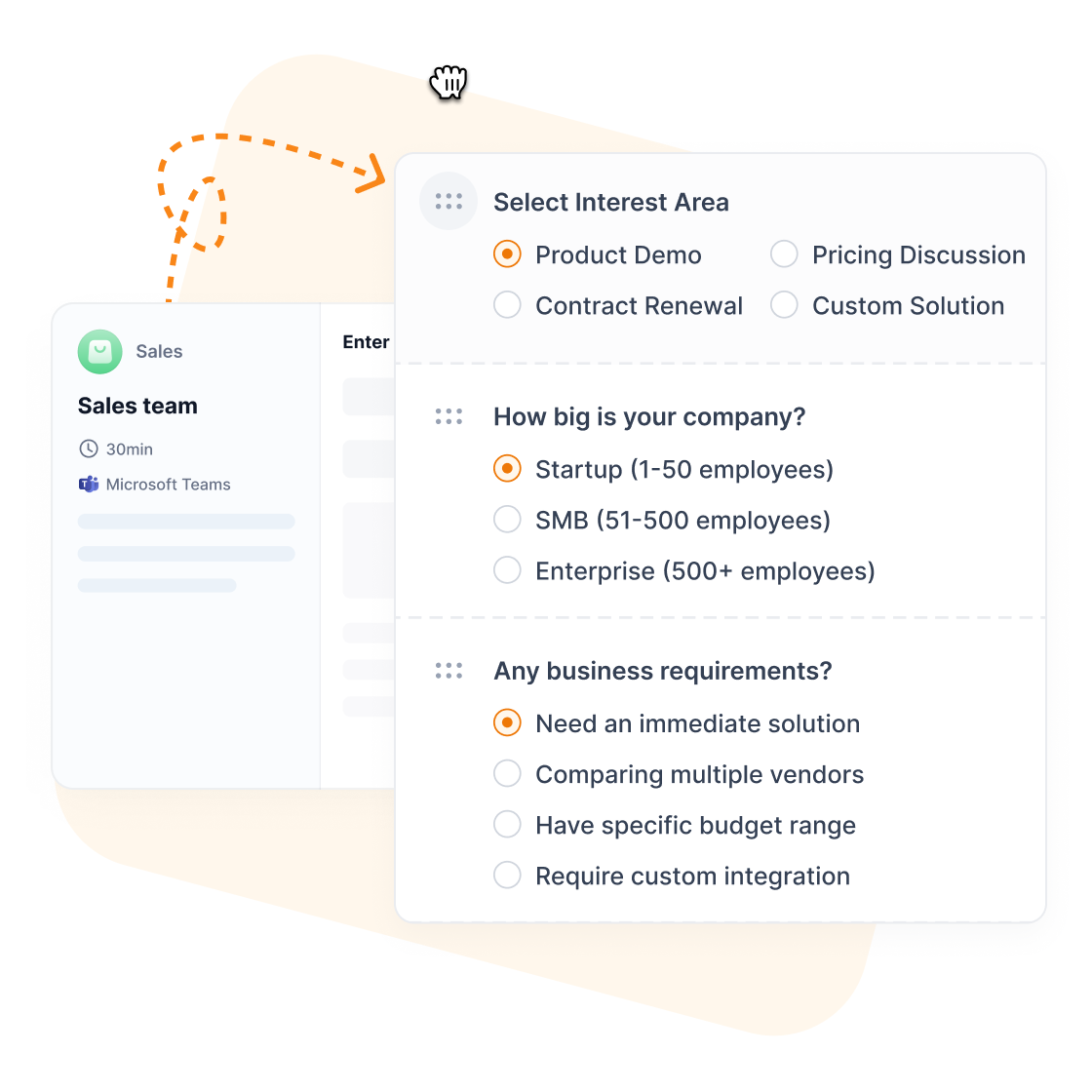
If calls and appointments drive your business revenue, maybe Salesforce wasn't built for you. While Salesforce treats booking as one more secondary feature, Zeeg operates on a simple principle: calls, bookings and contact management belong together. Zeeg isn't a CRM itself, it works alongside yours.
Every call and appointment becomes a contact record automatically
With Zeeg, every appointment made via online booking pages or the AI voice agent creates or updates a contact record instantly. Conversation notes stay permanently linked, follow-up sequences trigger without manual work, and the details can flow straight into Salesforce - no consultant needed.
Plus, this is done through Zeeg's advanced and automated scheduling, with things like smart routing (where your prospects end with the right team/agent), round-robin (to distribute meetings fairly across the team), custom workflows, and much more.
You get the features that matter from day one:
- AI voice agent - Answers calls 24/7, qualifies callers and books them into the right calendar
- Professional scheduling - Multiple booking pages, team coordination, and intelligent routing included
- Native calendar integration - Works seamlessly with Exchange, Google, and Apple Calendar
- Contact management - Automatic lead capture from calls and appointments with complete interaction histories
- Salesforce integration - Pass every new contact and meeting on to Salesforce if you keep it as your CRM
- Workflow automation - Follow-up workflows and triggers that work without expensive upgrades
- Affordable pricing - A free Starter plan, then Professional, Business and Scale at $10, $16 and $30 per user/month (billed annually), with the AI voice agent sold separately in monthly minute packages from $49 for 250 minutes. No onboarding or training fees required
- Full GDPR compliance without extra setup - German servers and data protection built in from day one
Ready in minutes, not months. Finally, a system that handles calls and appointments like a business process.
Book a short demo and watch the AI voice agent handle a real call, then see how it connects to Salesforce.
Book a demoFAQ
Is Salesforce worth it for small businesses? Small businesses typically struggle with Salesforce's complexity and cost. The minimum effective implementation usually requires Pro Suite ($100/user/month) plus setup costs exceeding $10,000. Simpler alternatives like HubSpot or Pipedrive often provide better value for teams under 20 users.
What are the main salesforce limitations? The biggest limitations include high costs that escalate quickly ($25-$550/user/month), steep learning curves requiring extensive training, complex implementation needing professional services, limited scheduling functionality, complete dependence on internet connectivity, and forced system updates that can disrupt workflows.
How much does Salesforce actually cost? While pricing starts at $25/user/month for Starter Suite, most businesses need Pro Suite at $100/user/month or Enterprise at $175/user/month plus add-ons. Implementation costs range from $10,000-$100,000+ depending on complexity. Annual contracts, additional storage, premium support, and specialized features increase total costs significantly.
What's Salesforce's biggest competitive advantage? Salesforce's main strength lies in extensive customization capabilities, comprehensive ecosystem, proven scalability, and strong community support. The platform handles complex business processes and integrations that simpler CRM systems cannot manage effectively.
Can you integrate scheduling tools with Salesforce? Yes, Salesforce integrates with various scheduling platforms through APIs or marketplace apps. However, native scheduling functionality remains limited. Many organizations supplement Salesforce with dedicated tools like Zeeg, which adds an AI voice agent and online scheduling, for better appointment management and customer experience.
How long does Salesforce implementation really take? Implementation typically requires 3-9 months depending on complexity. Basic setups might complete in 6-12 weeks, while enterprise implementations with extensive customization can take over a year. Data migration, user training, and testing significantly extend timelines.
Why doesn't Salesforce offer a free plan? Unlike competitors like HubSpot or Zoho, Salesforce targets enterprise customers willing to pay premium prices for comprehensive functionality. The company focuses on high-value accounts rather than freemium models, requiring 30-day trials instead of free ongoing access.
What skills do teams need for Salesforce success? Effective usage requires understanding CRM concepts, the platform's interface and terminology, workflow design, and report creation. Administrative roles need configuration skills, integration management expertise, and user support capabilities. Many organizations hire dedicated Salesforce administrators rather than training existing staff.
Zeeg is Europe's leading AI voice agent and appointment scheduling software in one solution — GDPR-compliant, made in Germany. Start for free →
%20(1).webp)


