

You can now run your AI voice agent in five more languages.
What's new:
• Dutch, Polish, Portuguese, Czech, and Ukrainian – Available as the main language for a new agent, or as an additional language on an existing one.
• Fully native, not translated – Each language has its own spelling alphabet, number grammar, and phrasing, so your agent reads dates, times, and email addresses back to callers naturally, with no English mixed in.
Why this matters: A machine-translated agent can misread a caller's email address mid-call. Building each language from scratch means callers hear a natural conversation, not a translation.
Find it under AI agent → Settings → Language picker.
You can now get exactly the data you need out of a voice agent call, instead of digging through a full transcript.
What's new:
• Structured data webhook – After a call ends, Zeeg extracts the specific answers captured during the conversation and sends them as clean key-value pairs to a webhook you choose.
• Configurable fields – You define which questions and fields get extracted, so the payload matches what your workflow actually needs.
• Built for automation – Pipe the data straight into Google Sheets, your CRM, or tools like Make, n8n, or Zapier — no manual transcript digging required.
Why this matters: If you're running structured interview or qualification calls, the full transcript is rarely what you want to work with. Now the answers you actually care about arrive already mapped to the fields you defined, ready for whatever comes next in your workflow.
You can now manage all your legal settings from a single place.
What's new:
• One Compliance tab – Privacy policy, imprint, DPA downloads, and withdrawal policy now all live under Workspace → Compliance.
• No more duplicate editors – The separate legal entries that used to appear on the organization profile page and in the settings sidebar are gone.
Why this matters: The same setting used to be editable from two different places that saved and behaved slightly differently. Now there's one place to look, and one version of the truth.
Find it under Workspace → Compliance.
You can now manage your AI minutes billing details without leaving the billing page.
What's new:
• Billing details link – The AI minutes section of the billing page now links directly to your latest receipt, where you can update your billing address or tax ID.
Why this matters: Previously, this was only reachable through the AI minutes management modal, which most people never open. Now it sits right where you already manage the rest of your subscription.
You can now write notification messages that carry just the meeting link — no location name attached.
What's new:
• Meeting Link variable – Insert the join address on its own into any email or SMS template, so you can write lines like “Join here: https://…”.
• Works across platforms – Resolves correctly for Zoom, Google Meet, Microsoft Teams, Whereby, Jitsi, Demodesk, alfaview, WhatsApp, Skype, and Webex.
• No link for offline bookings – For in-person or phone bookings, the variable simply resolves to nothing, instead of an error or a leftover placeholder.
Why this matters: The old Location variable always bundled the location name with the link, so a clean sentence like “Join here” was never possible. Now your message reads exactly the way you write it.
Find it under Workflows → email or SMS action → message template.
You can now trust every new AI agent opens the call the right way, with a disclosure built in from the very first word.
What's new:
• Pre-filled disclosure – New agents ship with an editable welcome message that tells callers they're speaking with an AI.
• Inline guidance – The welcome message field now explains why this disclosure matters, right where you edit it.
• Emotion recognition notice – If your agent uses emotion recognition, a separate notice flags the extra disclosure that applies.
Why this matters: Callers deserve to know when they're talking to an AI. This keeps that expectation built into every new agent by default, so you don't have to think about compliance separately from setup.
AI Phone Bot is available from the Professional plan onwards.
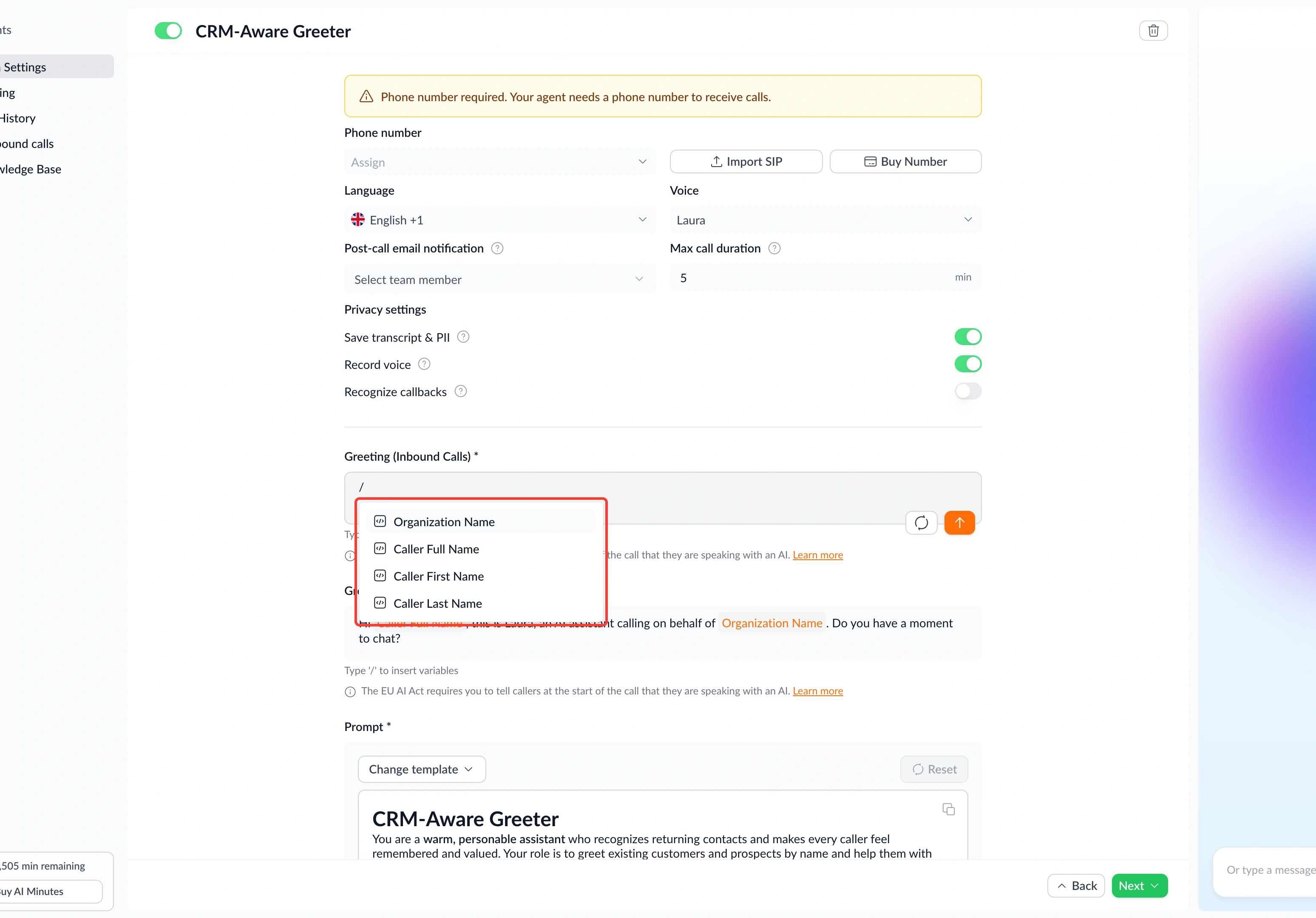
With Zeeg, your AI Phone Bot has always been able to greet callers by their full name — but now you can use first name or last name on their own too.
What's new:
• First and last name variables – Use separate first-name and last-name variables in greetings and templates, so a greeting can say "Hi Max" instead of "Hi Max Mustermann".
• Existing greetings still work – The old "Caller name" variable is renamed to "Caller full name" and any greeting or template that already used it keeps working automatically, with nothing to redo.
• Available across the agent – Find all three variables in AI Agent → Settings → greeting fields, and in the variable picker on route SMS and email actions.
Why this matters: A full name can feel stiff in a spoken greeting. Being able to pick first name only makes your AI agent sound like the natural, personal conversation callers expect, without giving up the option of a formal full-name greeting where it fits better.
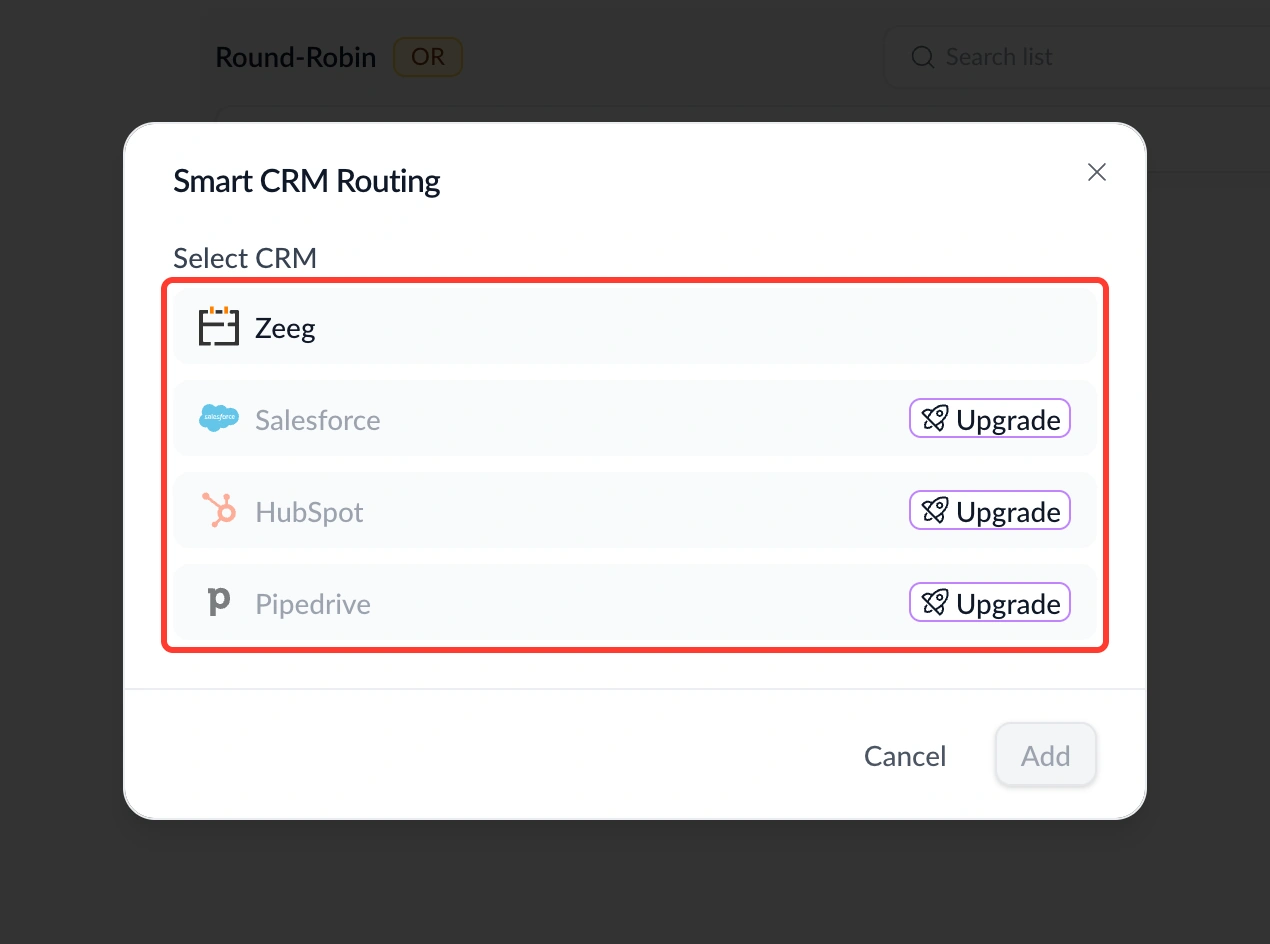
With Zeeg, round-robin pages have always been able to route visitors to their Salesforce owner — but now the same smart routing works with Zeeg CRM, HubSpot, and Pipedrive too.
What's new:
• Zeeg CRM routing – Route visitors to their contact owner using Zeeg's own CRM, with no external connection required at all.
• HubSpot and Pipedrive support – The same owner-based routing now works across four CRMs instead of just one.
Why this matters: Owner-based routing used to be locked to Salesforce, leaving everyone else to fall back on plain round-robin. Now smart routing is available even if you use Zeeg CRM with no third-party connection at all — every visitor lands with the person who already knows them.
Find it under your round-robin scheduling page → Hosts tab.
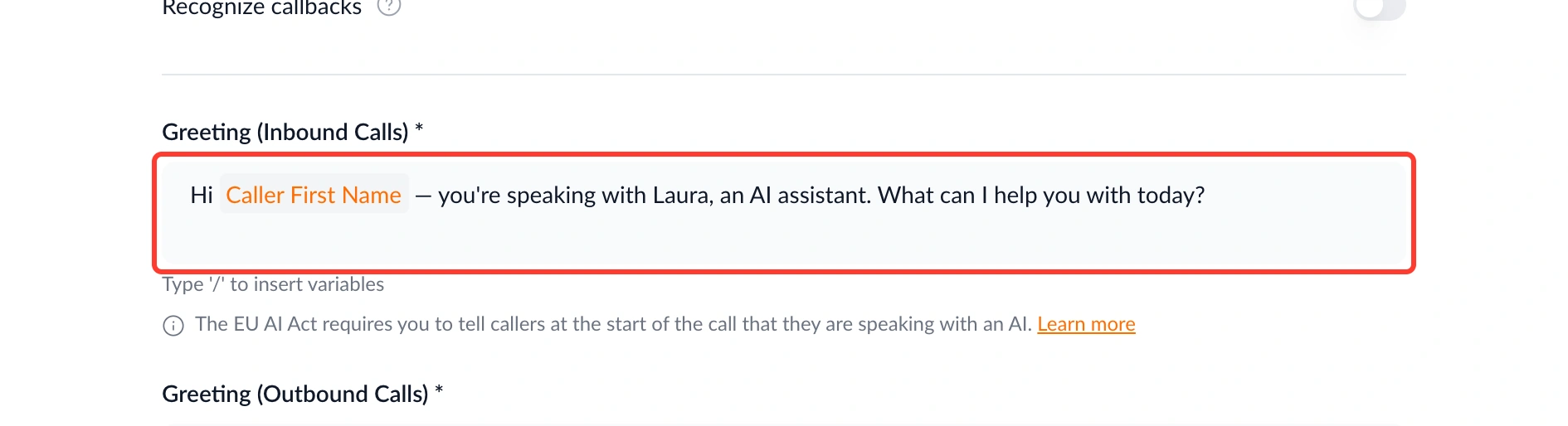
Your AI Phone Bot can now recognize callers who are already in your Zeeg CRM, and greet them by name from the first word.
What's new:
• Caller recognition – When someone calls in, the agent checks their number against your saved contacts, and greets them by name the moment a match is found.
• No more generic openers – Callers already in your CRM skip the anonymous greeting entirely, whether the call is the first ever or the twentieth.
Why this matters: A caller who's already in your CRM shouldn't sound like a stranger to your own phone agent. Recognizing them from the first word makes every call feel like a continuation of the relationship, not a cold start.
AI Phone Bot is available from the Professional plan onwards.
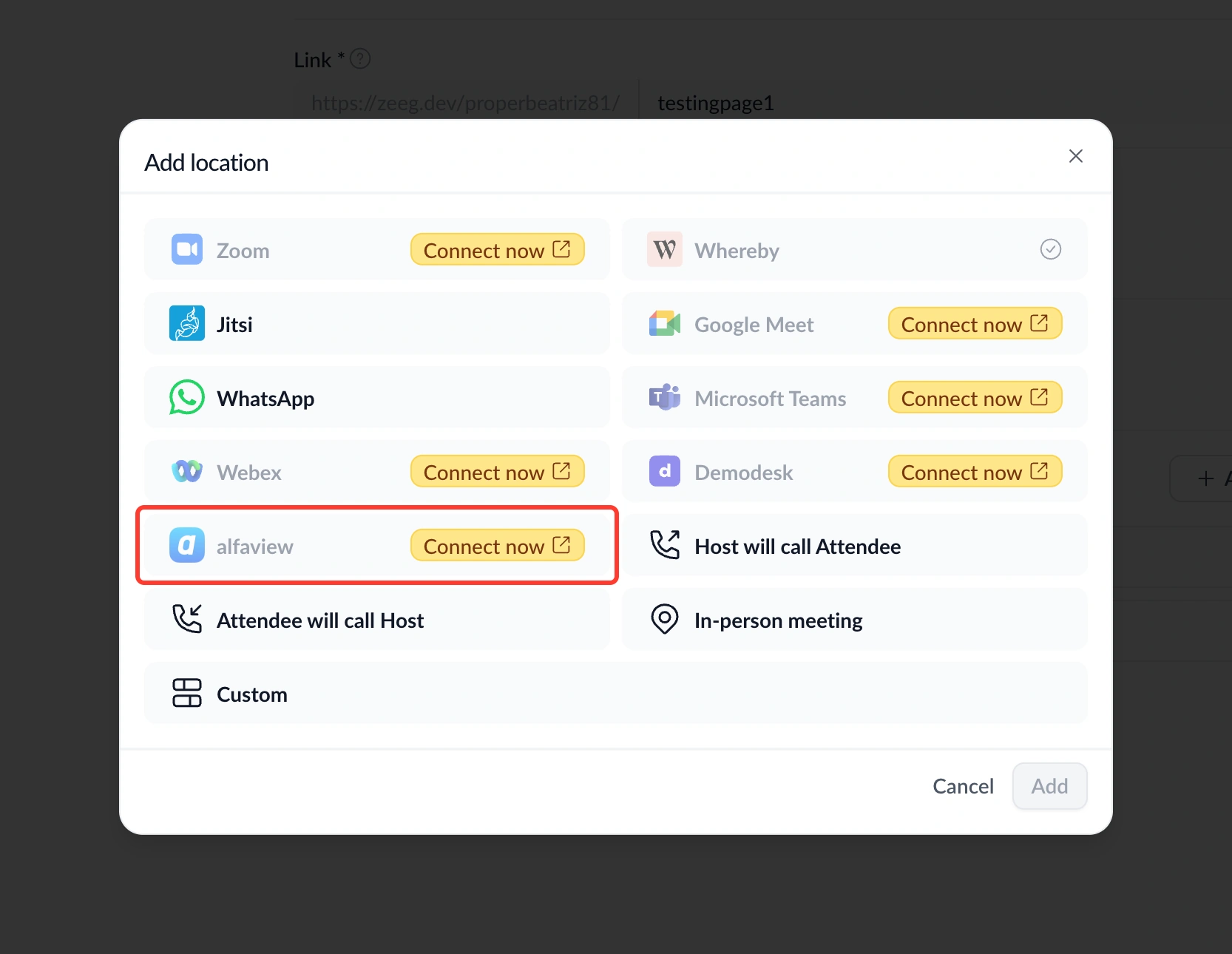
You can now connect alfaview and offer it as a video location for your bookings, with a meeting created automatically every time.
What's new:
• alfaview integration – Connect your alfaview account under Settings → Integrations, then select it as a location on any scheduling page.
• Fully automated meetings – A room is created for every new booking, the link goes out in the confirmation email and calendar invite, moves automatically when a booking is rescheduled, and is cancelled when the booking is.
Why this matters: If you rely on alfaview for your video calls, you no longer need a separate manual step to get a working link into every invite — it behaves just like Zoom or Google Meet already does in Zeeg.