Pipedrive Custom Objects: Overcoming the Missing Feature


Looking for custom objects in Pipedrive? You won't find them. Yes, Pipedive is great at sales pipeline management and offers plenty of customization through custom fields. But it doesn't provide the ability to create entirely new data objects beyond the standard ones. So, if a business needs to track unique data types that don't fit neatly into Pipedrive's predefined categories of deals, contacts, organizations, and activities, you’ll need to get creative.
We’ll explain exactly what you’re missing by using Pipedrive and not having custom objects. And we’ll point a few alternatives for specific cases — like Zeeg, an AI voice agent with scheduling included, which includes custom objects.
The reality about Pipedrive custom objects
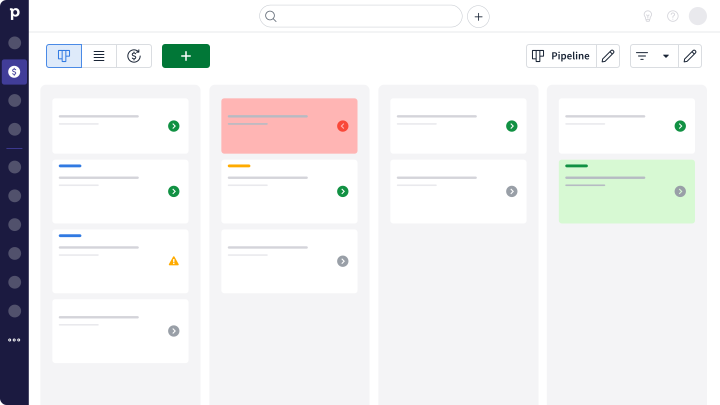
So, here's what you need to know upfront: Pipedrive doesn't have custom objects. This isn't a hidden feature or something available in higher-tier plans. Yes, Pipedrive does have lots of features, and yes, there Pipedrive customization options. But custom objects simply isn't one.
What Pipedrive does offer is custom fields. You can add these fields to any of the four core data types, but you can't create entirely new categories of information to track. That's very handy to track things in your Pipedrive pipeline, but you might definitely need more.
The four main objects in Pipedrive you're working with are:
- Deals for tracking sales opportunities
- People for individual contacts
- Organizations for company records
- Activities for tasks and interactions
Ok, some businesses might find that these categories cover their basic needs. But if their operations become more complex, or if they have something more specific they’d like to track, then Pipedrive would be limited. Imagine a real estate agency using Pipedrive. Would they be ok without an object for tracking properties, or another one vendors? Maybe...but it's not ideal. Let's have a deeper look at this.
Custom fields vs custom objects: What's the difference?
In case you’re confused, let’s clarify the difference between custom fields and custom objects. This will help you understand what you can and can't do in Pipedrive.
Custom fields work within your existing structure
You can think of Pipedrive custom fields like adding new columns to a spreadsheet. You might add a "Budget Range" field to your deals or a "Preferred Contact Method" field to your people records. So, these additions integrate easily with Pipedrive's interface and work in reports.
Plus, like in other CRMs, you can choose from various field types - text boxes, dropdown menus, date pickers, checkboxes, and number fields. They're powerful tools for capturing specific information about your standard objects.
Custom objects create entirely new categories
However, custom objects are a different thing. They would be like creating completely new spreadsheets with their own unique purposes. Instead of just adding fields to deals, you'd create entirely new data types like:
Products - Complete with SKUs, specifications, pricing tiers, and inventory levels
Projects - Including timelines, budgets, team assignments, and milestone tracking
Equipment - With maintenance schedules, warranty information, and location tracking
Certifications - Covering expiration dates, renewal requirements, and compliance status
Each custom object would have its own fields and could connect to your other CRM data. And this is where Pipedrive customization options become limited.
When you really need custom objects
Many companies start with Pipedrive and love it because it’s simple. But later they can face problems, when they need to become more sophisticated. Or they might just have the type of company that doesn’t fit Pipedrive CRM’s “structure”.
Take a software company that sells multiple products to enterprise clients. They need detailed product information - feature comparisons, technical requirements, licensing terms, and upgrade paths. While you could jam this into deal fields, it becomes messy when you're selling multiple products to the same client or when product details change. You want detail? Then you should have it as an object.
Another example? Consider a consulting firm managing several projects for each client. Project phases, deliverables, team assignments, and budget tracking won’t really fit well into the deal framework.
And we could keep going. Manufacturing companies need to track assets, with things like serial numbers, warranty periods, service histories, and maintenance schedules for individual pieces of equipment need their own structured approach.
👉 In all these cases, you’d end up with either overly complicated deal records, or important information living outside your CRM.
👉 Read more about Pipedrive's main pros and cons
Alternatives to Pipedrive custom objects
if you want a Pipedrive custom solution for the lack of custom objects, there's a few things you can try. The most obvious one is to get a tool that actually has what you need; but if you really to stick to Pipedrive, there's also a few workarounds. Not perfect, not ideal, but we'll leave them below. Here's the options.
1. Use Zeeg for custom objects (and fields)

If Pipedrive's lack of custom objects is holding your business back, Zeeg offers a compelling solution. You can create the number of custom objects that you need. From $30/month, on the Scale plan.
So, if you need a flexible structure, Zeeg might be the solution to your company. But bear in mind that Zeeg is built for businesses that revolve around appointment booking, as its core features are the AI voice agent and appointment scheduling.
But then, whether you're tracking products, projects, equipment, or certifications, you can create dedicated objects with their own fields and relationships. No more cramming project details into deal records or creating fake organizations as workarounds.
Built around appointment scheduling, Zeeg has every custom object connect to your booking process, by phone and online, capturing automatically the relevant information during the scheduling. Your company can create project objects that populate automatically from initial consultation bookings - for example, a potential customer books with you, and inmmediatelly your custom object "Projects" could be filled with the right the right custom field options that you give.
2. Repurpose your organizations on Pipedrive
Some people create fake "organizations" to represent products, projects, or assets. You might have an organization called "Website Redesign Project" or "Industrial Printer Model X200." It's not elegant, but it gives you a place to store structured information with custom fields.
The downside? Your actual company records get mixed up with pseudo-records, making reports confusing and search results cluttered.
3. Use more custom fields
Another common way is to load up objects with tons of custom fields. A deal might have 20+ fields covering project details, product specifications, and client preferences all in one record.
This works until you have multiple products per deal or need to track historical changes. Then your deal records become unwieldy and hard to maintain.
4. Try integrating with an external tool
Many users connect specialized databases or software to handle their custom object needs. You might use a separate product catalog, project management tool, or asset tracking system that syncs with Pipedrive through Zapier or API connections.
While this can work well, it requires technical setup and ongoing maintenance. Plus, you lose the seamless experience of having everything in one place.
5. Creative activity tracking
Some clever users create specific activity types to track custom information. "Equipment Maintenance," "Project Milestone," or "Compliance Review" activities can capture structured data, though they're not as robust as proper objects.
Deciding if this matters for you
So how do you know if Pipedrive's lack of custom objects will be a problem?
Start by listing all the types of information your business tracks. Can everything fit into deals, people, organizations, or activities? If you find yourself saying "we need to track products separately" or "each project has its own data requirements," custom objects might be important for your long-term success.
Consider your growth plans too. What seems manageable with 50 deals might become chaotic with 500. The workarounds that function for a small team might break down as you scale.
Also think about reporting needs. If you need insights that span across different types of data - like which products generate the most profitable deals or how project timelines affect client satisfaction - having everything properly structured in custom objects makes analysis much easier.
The good news is that this isn't necessarily a deal-breaker. Many successful businesses operate perfectly well within Pipedrive's framework. But understanding the limitation helps you make an informed decision and plan accordingly.
Zeeg is Europe's leading AI voice agent and appointment scheduling software in one solution — GDPR-compliant, made in Germany. Start for free →