Microsoft Dynamics 365 GDPR Compliance: A 2026 Guide


If you’re looking for a CRM solution that will help your business stay on the right side of data protection laws, and if you’re using (or planning to use) Microsoft Dynamics 365, then this article is for you.
With GDPR affecting organizations worldwide, understanding how your CRM system handles personal data has never been more crucial. And Microsoft Dynamics 365 indeed has compliance capabilities for businesses concerned about meeting European data protection requirements.
In this guide, we'll explore how Microsoft Dynamics 365 handles GDPR compliance, what features it offers to help protect personal data, and how tools like Zeeg can benefit your data protection strategy with secure, GDPR-compliant scheduling.
What is GDPR and why it matters for Dynamics 365 users

So, what exactly is GDPR? The General Data Protection Regulation (GDPR) introduced sweeping changes to how businesses must handle personal data of individuals in the EU. This regulation applies to organizations worldwide that process EU residents' data, regardless of where the company itself is located.
Basically, the GDPR gives rights to people to manage personal data collected by an organization. These rights can be exercised through a Data Subject Request (DSR). The organization is required to provide timely information regarding DSRs and data breaches, and perform Data Protection Impact Assessments (DPIAs)¹.
In practical terms, GDPR compliance means:
- Obtaining proper consent before collecting personal data
- Providing individuals access to their data when requested
- Allowing people to request deletion of their personal information
- Implementing appropriate security measures to protect data
- Reporting data breaches within 72 hours
- Conducting impact assessments for high-risk data processing
For Dynamics 365 users, compliance isn't optional—it's a business necessity with potential fines of up to €20 million or 4% of annual global revenue for violations. Therefore, doesn't matter the sizeof your company, you should indeed know how to become compliant with GDPR.
Is Microsoft Dynamics 365 GDPR compliant?
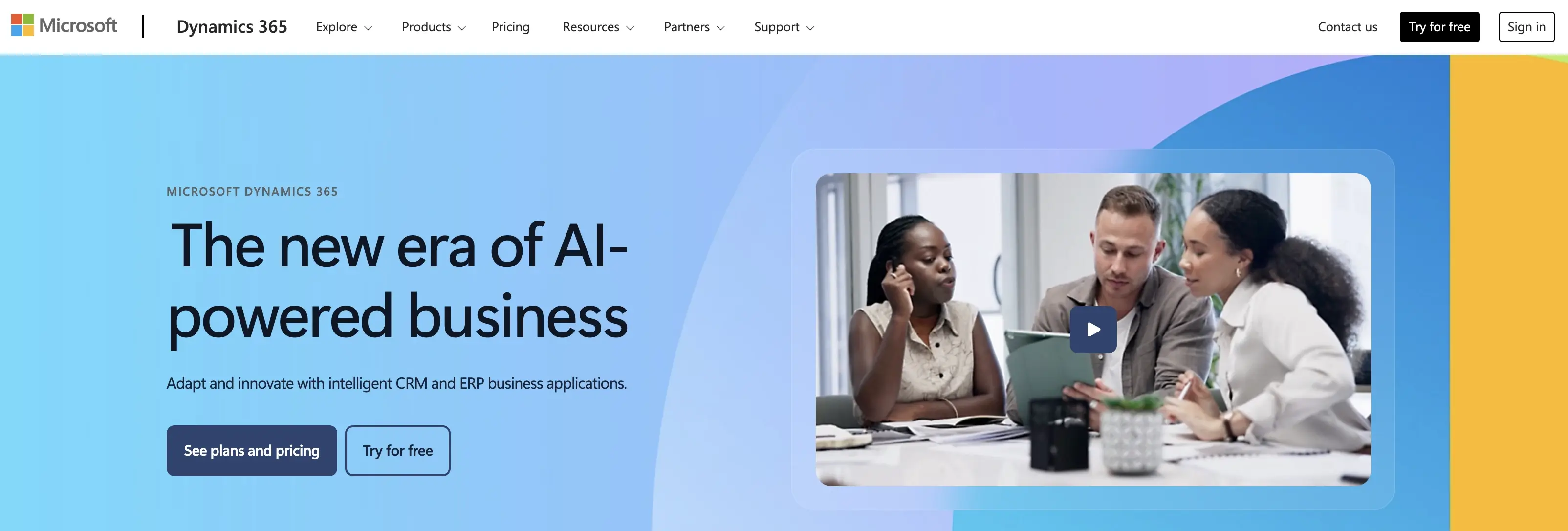
Yes, Microsoft Dynamics 365 is designed with GDPR compliance in mind. Microsoft has built comprehensive data protection capabilities into the platform to help organizations meet their GDPR obligations.
Microsoft takes a dual approach to compliance:
- As a processor: Microsoft processes data according to GDPR requirements when providing Dynamics 365 services
- As an enabler: Microsoft provides tools within Dynamics 365 to help your organization meet its own compliance requirements
It's important to understand that while Microsoft ensures the platform can support compliance, your organization is still responsible for how you configure and use Dynamics 365. True GDPR compliance requires both Microsoft's platform capabilities and your organization's proper implementation of data protection practices.
As Microsoft notes in their documentation: "Compliance is an ongoing process and a shared responsibility. Dynamics 365 offers a powerful set of tools and provides extensive documentation on how to use them to make the process easier."²
Microsoft's compliance framework for Dynamics 365
Microsoft has established a comprehensive framework to support GDPR compliance for Dynamics 365, built on several key elements:
ISO certifications and standards
Microsoft's commitment to data protection is reflected in their adherence to international standards:
"To support the General Data Protection Regulation (GDPR) when using Microsoft Azure, Dynamics 365, and Power Platform use the set of privacy and security controls for personal data processors:
- ISO/IEC 27701 standard for privacy management requirements
- ISO/IEC 27001 standard for security techniques requirements Microsoft Azure, Dynamics 365, and Power Platform services are certified to ISO 27701 (PIMS)."¹
These certifications demonstrate that Microsoft Dynamics 365 meets internationally recognized standards for information security and privacy management.
EU Data Protection Officer
Microsoft has designated an EU Data Protection Officer (DPO) who serves as an independent advisor to ensure compliance with GDPR requirements.
"Microsoft has designated a European Union Data Protection Officer (DPO) to be an independent advisor for Microsoft's engineering and business groups and to help ensure that all proposed processing of personal data meets EU legal requirements and Microsoft's corporate standards. The role was designed to meet the GDPR criteria set out in Articles 37-39."¹
The DPO plays a crucial role in monitoring Microsoft's data protection practices and advising on compliance matters, providing an additional layer of accountability.
Contractual commitments
Microsoft provides contractual guarantees regarding GDPR compliance through their Online Services Terms and Data Processing Addendum. These documents outline Microsoft's responsibilities as a data processor and formalize their commitment to protecting customer data in accordance with GDPR requirements.
Key GDPR features in Microsoft Dynamics 365
Dynamics 365 includes several built-in capabilities that help organizations manage their GDPR compliance:
Data discovery and classification
Dynamics 365 integrates with Microsoft Purview to help you identify where personal data resides in your system. This capability is essential for responding to data subject requests and ensuring appropriate protection measures are applied to sensitive data.
You can:
- Discover personal data across your Dynamics 365 environment
- Apply classification labels to categorize different types of personal data
- Track where personal data flows within your organization
For example, the platform offers specialized search capabilities like the Person Search Report for finding personal data across Dynamics 365 applications. This helps organizations quickly locate information when responding to data subject requests.
Data subject request management
GDPR gives individuals the right to access, correct, delete, and restrict processing of their personal data. Dynamics 365 provides tools to help you manage these requests efficiently:
- Search capabilities to locate an individual's data across your environment
- Export functions to provide data in a portable format
- Record deletion and anonymization options to comply with "right to be forgotten" requests
For instance, with Dynamics 365 Customer Engagement applications, you can:
"Display custom privacy notices and request and obtain consent for processing activities. Rectify inaccurate or incomplete personal data using a variety of methods. Decide if the delete request meets the GDPR requirements for deleting personal data. Meet data subject portability requests by using Dynamics 365 data export capabilities."²
Breach notification capabilities
In the event of a data breach, GDPR requires notification within 72 hours. Dynamics 365 includes security features to help you detect, respond to, and report potential breaches:
- Security monitoring and alerting tools
- Audit logging to track who accessed what data and when
- Documentation tools to help you prepare breach notifications
According to Microsoft's GDPR documentation:
"Under the new regulation, the processor must notify the data controller of a personal data breach, after having become aware of it, without undue delay. Once aware of a personal data breach, the controller must notify the relevant data protection authority within 72 hours."¹
Data protection impact assessment support
For high-risk data processing activities, GDPR requires organizations to conduct Data Protection Impact Assessments (DPIAs). Microsoft Purview Compliance Manager helps you assess and manage data protection risks:
"Microsoft Purview Compliance Manager is a feature in the Microsoft Purview portal to help you understand your organization's compliance posture and take actions to help reduce risks. Compliance Manager has a prebuilt assessment for this regulation for Enterprise E5 customers."¹
This tool provides a structured approach to identifying and addressing potential privacy risks in your Dynamics 365 implementation.
Microsoft's recommended GDPR action plan
Microsoft has developed a structured approach to help organizations achieve GDPR compliance with their Microsoft 365 ecosystem, including Dynamics 365. This plan breaks down compliance activities into manageable phases:
First 30 days: Quick wins
- Assess and manage your compliance risks by using Microsoft Purview Compliance Manager in the Microsoft Purview portal to conduct a GDPR Assessment of your organization.
- Work with your Microsoft GDPR Advisory Partner to establish internal guidelines to respond to Data Subject Requests (DSRs) and exclusions from DSRs.
- Work with your Microsoft GDPR Advisory partner to perform a gap analysis in GDPR compliance for your organization, and develop a roadmap that charts your journey to GDPR compliance.
- Learn how to use the GDPR Dashboard and Data Subject Request capability in the Microsoft Purview portal.²
These initial steps help you understand where you stand with GDPR compliance and establish basic response procedures.
90 days: Enhanced compliance
- Manage your GDPR Compliance with Microsoft Purview Compliance Manager within the Microsoft Purview portal.
- Help users identify and classify personal data, as defined by the GDPR, with a classification schema and associated Office 365 Labels for Exchange email, SharePoint sites, OneDrive for work and school sites and Microsoft 365 Groups.²
During this phase, you'll implement core compliance capabilities and security measures to protect personal data.
Beyond 90 days: Ongoing governance
- Use sensitivity labels to identify personal information in documents and emails.
- Protect personal data stored on devices across the organization by deploying Microsoft Intune.
- Implement AAD Conditional Access policies with Microsoft Intune to ensure that sensitive personal information is stored and accessed according to corporate policies.
- Implement data retention policies with sensitivity labels, Microsoft Purview Data Lifecycle Management, and retention policies to retain personal data for as long as necessary in your jurisdiction.²
This final phase focuses on establishing long-term governance practices and monitoring tools to maintain compliance over time.
Practical steps for GDPR compliance with Dynamics 365
While Microsoft provides the technical foundation for GDPR compliance, your organization must take specific actions to ensure your Dynamics 365 implementation meets requirements:
1. Data mapping and inventory
Create a comprehensive inventory of what personal data you collect, where it's stored in Dynamics 365, and how it flows through your organization. This mapping is essential for:
- Understanding your data processing activities
- Identifying high-risk processing that requires a DPIA
- Responding effectively to data subject requests
Start by using Dynamics 365's data discovery tools to identify personal data across your environment. Document all fields that contain personal information and categorize them based on sensitivity level.
2. Configure data retention policies
Set up appropriate data retention periods in Dynamics 365 based on your business needs and legal requirements. GDPR requires that personal data is kept only as long as necessary for the purposes for which it was collected.
Use Microsoft Purview Data Lifecycle Management to:
- Define retention periods for different types of data
- Automatically archive or delete data when no longer needed
- Document your retention policies as evidence of compliance
For instance, you might configure customer records to be anonymized after five years of inactivity, while retaining transaction records for longer periods to comply with financial regulations.
3. Implement access controls
Restrict access to personal data in Dynamics 365 based on the principle of least privilege. Only employees who need access to personal data to perform their job functions should have it.
Configure:
- Role-based access controls within Dynamics 365
- Field-level security for sensitive personal information
- Audit logging to track who accesses personal data
This helps prevent unauthorized access to personal data and creates accountability within your organization.
4. Establish data subject request procedures
Create a formal process for handling data subject requests, including:
- A designated point of contact for receiving requests
- Verification procedures to confirm the identity of requesters
- Standard operating procedures for searching, exporting, correcting, and deleting data
- Response templates that meet GDPR requirements
For example, when a customer requests access to their personal data, your process might include using Dynamics 365's search capabilities to locate their information, exporting it in a structured format, and providing it to them within the 30-day timeframe required by GDPR.
5. Document your compliance measures
Maintain comprehensive documentation of your GDPR compliance activities, including:
- Data protection policies and procedures
- Records of processing activities
- Data Protection Impact Assessments
- Staff training on data protection
- Regular compliance reviews and audits
This documentation is crucial for demonstrating accountability under GDPR's requirements.
Common GDPR challenges with Dynamics 365 and how to solve them
Despite Microsoft's compliance features, organizations often face several challenges when implementing GDPR in Dynamics 365:
Challenge 1: Legacy data management
Many organizations have years of customer data in their CRM systems that may not meet GDPR standards for consent and purpose limitation.
Solution: Conduct a data cleansing project to:
- Review existing data for compliance gaps
- Obtain fresh consent where needed
- Delete or anonymize data that can't be brought into compliance
- Document your remediation actions
Consider using Dynamics 365's built-in tools like the Person Search Report to identify personal data across your environment, then create a prioritized plan for addressing compliance issues.
Challenge 2: Cross-border data transfers
GDPR places restrictions on transferring personal data outside the European Economic Area.
Solution:
- Use Microsoft's EU data centers for Dynamics 365 when serving EU customers
- Implement appropriate safeguards for any necessary data transfers
- Consider Microsoft's Multi-Geo capabilities for data residency requirements
As stated in Microsoft's documentation:
"Exposure to unnecessary cross-border data transfer is reduced by Microsoft using a regional datacenter strategy for Dynamics 365. Microsoft offers contractual commitments for all of its enterprise cloud services, including Dynamics 365.”²
Challenge 3: Integration with non-Microsoft systems
Many organizations connect Dynamics 365 with other applications that may not have the same level of GDPR capabilities.
Solution:
- Conduct data protection assessments of all integrated systems
- Implement data minimization practices for data shared with external systems
- Use Microsoft's API management tools to control data flows between systems
For example, if you integrate Dynamics 365 with a marketing automation platform, ensure that personal data is adequately protected throughout the integration and that proper consent is maintained across systems.
Challenge 4: User awareness and training
Even with robust technical controls, human error remains a significant risk factor for GDPR compliance.
Solution:
- Develop role-specific GDPR training for Dynamics 365 users
- Create clear guidelines for handling personal data
- Implement regular compliance reminders and updates
- Use Microsoft Purview Communication Compliance to monitor for potential data protection issues
Training should cover practical scenarios like how to respond to data subject requests, what constitutes personal data, and how to use Dynamics 365's privacy features correctly.
Challenge 5: Maintaining data accuracy
GDPR requires that personal data be accurate and up-to-date. In Dynamics 365, maintaining data quality across multiple records and entities can be challenging.
Solution:
- Implement data validation rules to prevent incorrect data entry
- Use duplicate detection features to identify and merge duplicate records
- Establish regular data quality review processes
- Configure automated data cleansing workflows
For instance, you might set up regular data verification emails to customers, asking them to confirm their contact details and preferences, then update your Dynamics 365 records accordingly.
Challenge 6: Handling transactional data
Dynamics 365's finance and operations applications have specific requirements for transactional data that can impact how you handle GDPR requests.
Solution:
- Understand the limitations on modifying transactional records
- Develop appropriate policies for handling GDPR requests involving financial data
- Use customization capabilities where needed to address compliance requirements
As Microsoft notes:
"Transactional records, such as general, customer, and tax ledger entries, are essential to the integrity of an enterprise resource planning system. Personal data that is part of a financial or other transaction is kept 'as is' for compliance with financial laws (for example, tax laws), prevention of fraud (such as security audit trail), or compliance with industry certifications."³
Advanced GDPR compliance features in Dynamics 365
Beyond the basic compliance capabilities, Dynamics 365 offers several advanced features that can help organizations achieve a higher level of GDPR compliance:
Automated data discovery and classification
Dynamics 365 integrates with Microsoft Purview Information Protection to automatically identify and classify sensitive personal data. This technology uses machine learning to recognize patterns associated with personal information like:
- National identification numbers
- Credit card information
- Health data
- Biometric identifiers
Once identified, this data can be automatically labeled and protected according to your organization's policies.
Intelligent compliance risk assessment
Microsoft Purview Compliance Manager provides risk-based assessments specific to Dynamics 365, helping you identify:
- High-risk data processing activities
- Potential compliance gaps
- Recommended remediation actions
- Progress tracking for compliance initiatives
This helps organizations prioritize their compliance efforts and focus on areas with the greatest risk.
Advanced data protection controls
Dynamics 365 includes sophisticated data protection capabilities:
- Field-level encryption: Encrypt specific fields containing sensitive personal data
- Customer-managed keys: Control the encryption keys used to protect your data
- Conditional access policies: Define granular rules for when and how personal data can be accessed
- Advanced threat protection: Detect and respond to potential security threats that could lead to data breaches
These controls provide multiple layers of protection for personal data stored in Dynamics 365.
Comprehensive audit and monitoring
Dynamics 365 offers extensive audit capabilities to track:
- Who accessed personal data
- What actions were performed on that data
- When these actions occurred
- Where the access originated from
This audit trail is essential for demonstrating compliance and investigating potential data breaches.
Role-specific GDPR responsibilities in Dynamics 365
Different roles within your organization have specific responsibilities for maintaining GDPR compliance in Dynamics 365:
For administrators
- Configure security roles and access controls
- Set up audit logging and monitoring
- Implement data retention policies
- Configure data protection features
- Maintain system security and patches
For developers
- Implement privacy by design in customizations
- Create custom tools for data subject request handling
- Extend Person Search reports as needed
- Ensure secure coding practices
- Document all customizations that process personal data
For business users
- Follow data protection policies when entering and using personal data
- Recognize and report potential data breaches
- Understand how to forward data subject requests to the proper channels
- Maintain data accuracy and quality
- Use appropriate consent mechanisms
For compliance officers
- Develop and maintain GDPR compliance policies
- Coordinate responses to data subject requests
- Conduct regular compliance audits
- Stay updated on regulatory changes
- Provide guidance on complex compliance issues
By clearly defining these responsibilities, organizations can ensure that GDPR compliance is integrated into daily operations across all Dynamics 365 users.
Want to keep things simple and 100% secure? Try Zeeg.
While Microsoft Dynamics 365 provides great GDPR capabilities, the truth is that things can get somewhat complicated, as you’ll have to ensure you comply with all recommendations.
But Zeeg CRM has it covered differently. We have German-grade data protection, 100% GDPR compliant, with advanced scheduling. And all that at just €30/user/month (Scale plan).
Why use Zeeg? Because it combines ironclad GDPR compliance with practical business advantages:
- German data sovereignty: Unlike US-based CRMs, Zeeg hosts all data exclusively on German servers, providing the strongest possible EU compliance position. Your customer data never leaves European borders, eliminating cross-border transfer concerns that plague many Dynamics implementations.
- Integrated scheduling + CRM: Zeeg uniquely combines appointment scheduling with customer management, ensuring every customer touchpoint is automatically documented and GDPR-compliant from first contact.
- Transparent pricing without hidden costs: While Dynamics requires expensive tiers for essential GDPR features, Zeeg includes all compliance capabilities at a predictable €30/user/month (or €16/user/month on Business plan).
- Custom objects without Enterprise pricing: Create unlimited custom data structures without the Enterprise costs that Dynamics requires.
- Native calendar integration: If you want to use Zeeg as a complement, (let’s say you want the advanced scheduling option, without the CRM), you might want to sign up for the lower tier—the Business plan—as it still connects seamlessly with Microsoft Exchange and Outlook calendars (as well as other calendar apps, like Google or Apple).
For organizations concerned about both GDPR compliance and budget constraints, Zeeg delivers "compliance without compromise" while offering superior scheduling functionality at a fraction of enterprise CRM costs.
The future of data protection in Dynamics 365
As data protection regulations continue to evolve, Microsoft is actively developing new compliance capabilities for Dynamics 365. Some emerging trends include:
AI-powered compliance assistance
Microsoft is integrating AI capabilities into Dynamics 365 to help organizations:
- Automatically identify potential compliance risks
- Suggest remediation actions
- Streamline responses to data subject requests
- Detect unusual data access patterns that might indicate a breach
These AI tools will make it easier for organizations to maintain compliance with less manual effort.
Enhanced cross-border data transfer mechanisms
With changing regulations around international data transfers, Microsoft is developing more sophisticated tools for:
- Maintaining compliance with regional data protection laws
- Implementing appropriate safeguards for necessary data transfers
- Providing greater transparency into data locations and flows
- Supporting country-specific compliance requirements
These capabilities will help organizations navigate the increasingly complex landscape of global data protection regulations.
Deeper integration with the broader Microsoft compliance ecosystem
Microsoft is working toward stronger integration between Dynamics 365 and other Microsoft compliance tools, including:
- Microsoft Purview Data Loss Prevention
- Microsoft Sentinel security information and event management
- Microsoft Defender for Cloud Apps
- Microsoft Priva privacy management
This integrated approach will provide a more comprehensive compliance solution across all Microsoft services.
GDPR compliance best practices for Dynamics 365
Based on real-world experiences from organizations successfully implementing GDPR compliance in Dynamics 365, here are some recommended best practices:
1. Start with a thorough GDPR readiness assessment
Before making changes to your Dynamics 365 environment, conduct a comprehensive assessment of your current GDPR compliance status. This should include:
- Identifying all personal data in your system
- Documenting your data processing activities
- Evaluating existing privacy controls
- Identifying compliance gaps
This assessment provides a roadmap for your compliance initiatives.
2. Implement a privacy by design approach
Incorporate data protection considerations into all aspects of your Dynamics 365 implementation:
- Consider privacy implications before adding new fields or entities
- Configure appropriate access controls for all personal data
- Use data minimization principles when designing forms and views
- Document privacy decisions as part of your development process
This proactive approach is more effective than trying to retrofit privacy controls later.
3. Automate compliance processes where possible
Leverage Dynamics 365's automation capabilities to streamline compliance activities:
- Create workflows for handling data subject requests
- Set up automatic data retention and deletion policies
- Configure automated notifications for potential compliance issues
- Use Power Automate for complex compliance processes
Automation reduces the risk of human error and ensures consistent compliance practices.
4. Provide ongoing GDPR training for all Dynamics 365 users
Ensure that everyone who uses Dynamics 365 understands their role in maintaining GDPR compliance:
- Conduct role-specific training sessions
- Create quick reference guides for common compliance scenarios
- Provide regular updates on policy changes
- Include GDPR compliance in new user onboarding
Well-trained users are your first line of defense against compliance failures.
5. Regularly test your GDPR response capabilities
Don't wait for an actual data breach or subject request to test your processes:
- Conduct simulated data breach response exercises
- Practice handling different types of data subject requests
- Test your data discovery and export capabilities
- Review and update your documentation based on test results
Regular testing helps identify weaknesses in your compliance measures before they become real problems.
Final thoughts: A shared responsibility model
While Microsoft has built GDPR compliance capabilities into Dynamics 365, achieving and maintaining compliance is ultimately a shared responsibility:
- Microsoft's responsibility: Providing a platform with appropriate security and privacy controls
- Your responsibility: Properly configuring Dynamics 365, implementing organizational measures, and using the platform in compliance with GDPR
As Microsoft notes:
"Following this guidance will not necessarily make you compliant with any data privacy regulation, especially considering the number of steps required that are outside the context of the features. You are responsible for ensuring your compliance and to consult your legal and compliance teams or to seek guidance and advice from third parties that specialize in compliance."¹
By combining Microsoft's technical capabilities with your organization's commitment to data protection, you can create a GDPR-compliant Dynamics 365 environment that respects individual privacy rights while supporting your business objectives.
Remember that GDPR compliance is not a one-time project but an ongoing process that requires regular assessment and adaptation as your business evolves and regulations change.
Sources:
1. General Data Protection Regulation Summary
2. Microsoft 365 GDPR action plan — Top priorities for your first 30 days, 90 days, and beyond
3. Dynamics 365 Data Subject Requests for the GDPR and CCPA
Zeeg is Europe's leading AI voice agent and appointment scheduling software in one solution — GDPR-compliant, made in Germany. Start for free →