
The 17 Best Lead Management Software in 2026


Lead management is a bit like herding cats. You've got prospects trickling in from social media, website forms, cold calls, and trade shows, and they all ask for different approaches and follow-up strategies. Without the right system, potential valuable leads slip through the cracks while your sales team drowns in administrative tasks. But they don’t have to. The right lead management software transforms this chaos into an organized, automated process that actually converts prospects into customers.
In this guide, we’ll have a look at the top 17 lead management systems for 2026, including how Zeeg's scheduling capabilities can bridge the gap between lead qualification and sales meetings. Zeeg is Europes leading platform for AI voice agents and meeting scheduling that ensures GDPR-compliance by German design.
Essential features in lead management CRM
Lead capture and tracking capabilities
Your lead management system needs to collect prospect information from multiple sources without having to enter data manually. This includes automatic form submissions from your website, social media interactions, email engagement, and phone call records. The system should create a complete timeline of every touchpoint, from the first website visit to the final purchase decision.
Good lead tracking goes beyond basic contact details. It captures behavioral data like which pages prospects visit, how long they spend on your pricing page, and which emails they open. This information helps your sales team understand prospect interests and tailor their approach accordingly.
Pipeline management and visualization
Visual pipeline management lets you see exactly where each prospect stands in your sales process. Instead of digging through spreadsheets, you get a clear board-style view showing leads moving through stages like "Initial Contact," "Qualified," "Proposal Sent," and "Negotiation."
Teams can customize these stages to match their actual sales process. A software company might have stages like "Demo Scheduled," "Trial Started," and "Contract Review," while a consulting firm might use "Discovery Call," "Proposal Submitted," and "SOW Approved."
Lead scoring and qualification systems
Lead scoring assigns numerical values to prospects based on their likelihood to purchase. The system might award points for downloading a pricing guide, visiting your careers page, or opening multiple emails. Demographic factors like company size, industry, and job title also influence scores.
With some smart rules, you can automatically categorize leads. That's what you should use lead qualification tools for. For instance, high-scoring prospects from enterprise companies might get routed to senior sales reps, while lower-scoring leads would enter nurture campaigns. In conclusion: companies prioritize their efforts better, with the best salespeople focusing on the most promising opportunities.
Automation and workflow management
Automation handles repetitive tasks that bog down sales teams. When a prospect downloads a whitepaper, the system automatically adds them to a nurture sequence, assigns them to a sales rep, and schedules follow-up tasks. If a lead goes cold, automated re-engagement campaigns can win them back.
Workflow automation extends beyond email sequences. It can create calendar appointments, update CRM records, notify team members about hot leads, and even trigger actions in other software tools through integrations.
Integration and connectivity options
Your lead management software needs to connect with your existing tools to avoid data silos. Essential integrations include email platforms (Gmail, Outlook), marketing automation tools (Mailchimp, HubSpot), and communication platforms (Slack, Microsoft Teams).
Calendar integrations make sure that your scheduled meetings sync across platforms. Payment processors enable direct invoice generation from the CRM. Social media connections help track leads generated from LinkedIn, Facebook, and other platforms.
Analytics and reporting features
Advanced reporting shows you which marketing channels generate the best leads, which sales reps have the highest conversion rates, and where prospects typically drop out of your funnel. Real-time dashboards show key metrics like lead volume, conversion rates, and sales velocity.
Custom reports let you analyze specific scenarios. You might create a report showing how leads from trade shows compare to website leads, or track conversion rates by industry. This data helps optimize your lead generation and sales strategies.
17 best lead management software: Complete comparison
Top lead management systems reviewed
1. Zeeg: Best for meeting-driven sales processes

Zeeg takes a different approach to lead management by focusing on the exact moment when prospects become customers: the sales meeting. Instead of just storing contact information, Zeeg turns the scheduling process into a lead qualification and routing system.
How it works in practice: When a prospect visits your website or calls your AI voice agent and wants to schedule a demo, Zeeg doesn't just offer available time slots. It also offers a brief qualification form or questions asking about their company size, budget range, and specific needs. Based on their responses, the system automatically routes them to the most appropriate sales representative. For example, enterprise prospects might get routed to senior sales executives, while small business leads connect with inside sales reps. The system also ensures fair distribution through round-robin scheduling to prevent any single salesperson from hogging all the good leads.
Real-world application: A software company using Zeeg might set up different booking flows for different products. Prospects interested in their basic plan get routed to junior sales reps for a 15-minute demo, while enterprise prospects get scheduled for 45-minute discovery calls with senior account executives. All of this happens automatically based on the prospect's responses during booking.
Key features that matter:
- Smart intake forms: Qualify leads while they schedule meetings
- AI voice agents: Take incoming calls 24/7 and let prospects book their own meeting while the agent qualifies them
- Automatic routing: Send prospects to the right salesperson based on criteria you define
- Team scheduling: Coordinate group meetings with multiple stakeholders
- CRM integration: Sync all scheduling data with your existing lead management system
- Multi-timezone support: Handle global prospects without confusion
- GDPR compliance: Keep European customer data secure
The good and the bad: Zeeg is good at turning scheduling into a lead qualification process, but it's relatively new compared to established platforms. The team scheduling and routing features work well for businesses that rely heavily on sales meetings, though companies with mainly transactional sales might find it less useful.
The platform integrates smoothly with most existing CRM systems, so you don't need to replace your current setup. However, the mobile app is still in development, which might limit some users.
- Starter: Free forever for basic scheduling
- Professional: $10/user/month (billed annually) for advanced features
- Business: $16/user/month (billed annually) for team management
2. HubSpot: Best for growing businesses needing everything

HubSpot started as a marketing automation platform but has gradually evolved into a complete business growth system. It’s a great choice for companies that want to have their marketing and sales efforts under one roof.
How it works in practice: HubSpot's lead management begins with its marketing tools. When someone downloads a whitepaper from your website, the system automatically creates a contact record, assigns a lead score, and begins nurturing them with targeted emails. As prospects engage more with your content, their scores increase, and they eventually get flagged for sales outreach. The platform tracks every interaction across channels. If a lead opens three emails, visits your pricing page, and attends a webinar, HubSpot creates a complete timeline that your sales team can review before making contact.
Real-world application: A marketing agency might use HubSpot to catch leads from their blog content. When prospects download their "Complete Guide to Social Media Marketing," they automatically enter a six-email nurture sequence. After completing the sequence, high-scoring leads get assigned to sales reps for outreach, while others continue receiving educational content.
Key features that matter:
- Free CRM: Start with basic contact management and pipeline tracking
- Marketing automation: Create email sequences based on prospect behavior
- Content management: Build landing pages and blogs within the platform
- Sales pipeline: Visual deal tracking with customizable stages
- Reporting dashboards: Track everything from email open rates to deal closure
- Integration marketplace: Connect with over 1,000 third-party tools
The good and the bad: HubSpot's strength lies in its integrated approach - marketing, sales, and customer service tools work together. The free tier offers tons of functionality, which means it also works for smaller businesses. But costs can build up pretty quickly as you add users and features.
The platform can feel overwhelming for teams that just want basic CRM functionality. Also, some advanced features mean you need to upgrade to higher-tier plans, which can make the total cost of ownership higher than initially expected.
- Free: Basic CRM and limited marketing tools
- Starter: $20/user/month for core sales and marketing features
- Professional: $890/month for marketing, $90/user/month for sales
- Enterprise: $3,200/month for marketing, $150/user/month for sales
3. Apify: Best for automated lead enrichment and web-based intelligence
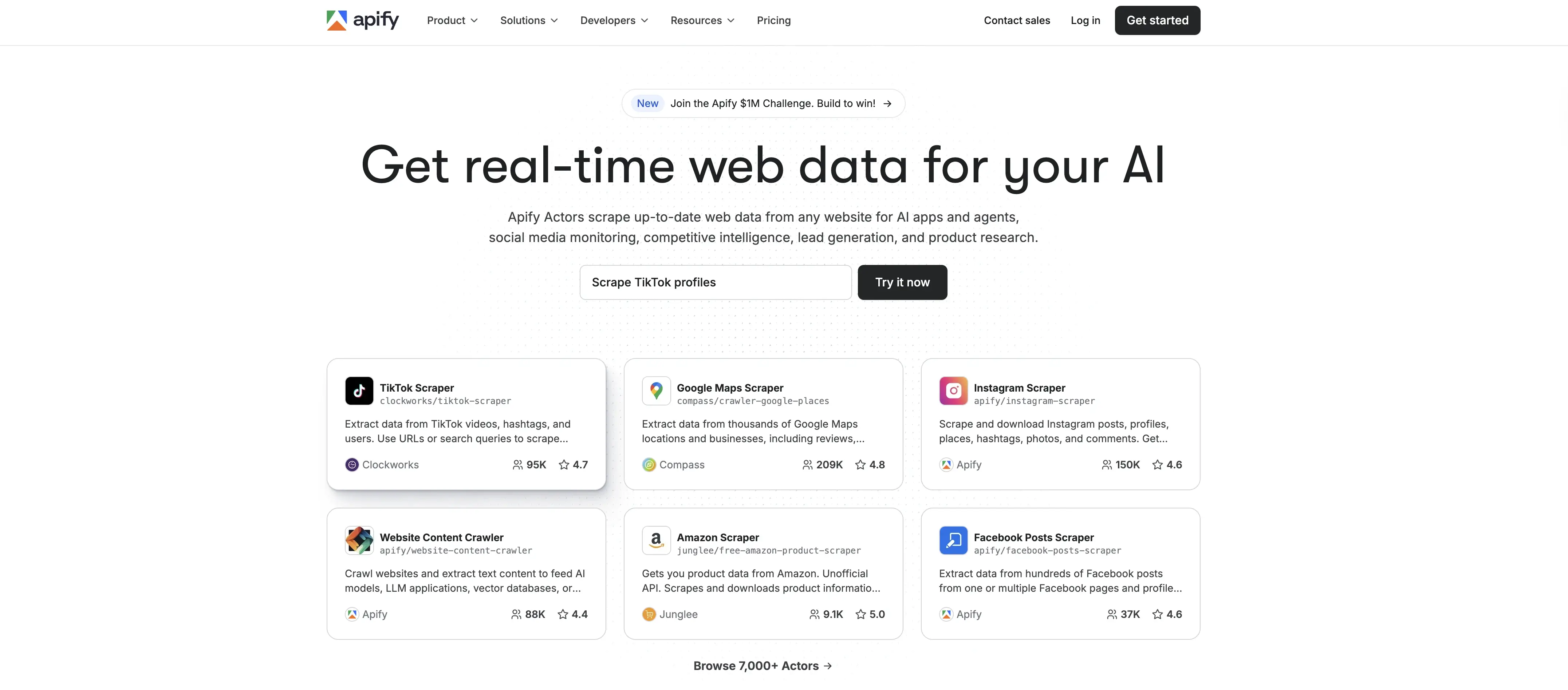
Apify helps sales and marketing teams automate the collection of publicly available data, making lead enrichment faster and more accurate. Instead of manually researching prospects across websites, directories, or social platforms, Apify structures this information automatically and sends it directly into your CRM, keeping profiles complete and up to date.
How it works in practice:
When a new lead enters your system, Apify can gather additional context such as company size, industry tags, technology stack, hiring signals, or recent online activity. This enriched information helps reps personalize outreach and identify buying intent earlier. Businesses can also set up automated workflows to monitor target accounts or competitors for relevant updates.
Real-world application:
A B2B SaaS company might use Apify to track job postings, pricing page changes, or product announcements from key accounts. When these signals appear, Apify updates the CRM automatically and notifies the appropriate sales rep, ensuring timely engagement.
Key features that matter:
- Automated lead enrichment from public web sources
- Custom workflows for account and competitor monitoring
- API and integration options to sync with existing CRM tools
- Scalable extraction for large datasets and ongoing research
The good and the bad:
Apify is effective for teams that rely on real-time data and want to eliminate manual research from their lead management process. Its flexibility makes it suitable for companies needing continuous market insights. However, setup may require some technical familiarity, so smaller teams might prefer simpler plug-and-play tools.
Pricing:
Apify offers a free tier for basic usage, pay-as-you-go options for higher data volumes, and custom enterprise plans for large-scale automation needs.
4. Salesforce: Best for enterprise organizations with complex needs

Salesforce is one of the most powerful and customizable CRM platforms available in the market. It's built for organizations that need to handle complex sales processes, multiple business units, and extensive customization requirements.
How it works in practice: Salesforce's lead management system can handle practically any business scenario. A manufacturing company might set up different lead processes for different product lines, with custom fields for industry-specific information and automated workflows that route leads based on geographic territory and deal size. The platform is able to adapt to your business rather than forcing you to adapt to it. Custom objects, fields, and workflows can replicate virtually any lead management process.
Real-world application: A global technology company might use Salesforce to manage leads across multiple countries and product lines. Enterprise leads get assigned to dedicated account executives, while smaller opportunities flow through inside sales teams. The system automatically calculates deal probability based on historical data and triggers alerts when deals stagnate.
Key features that matter:
- Custom objects and fields: Create data structures that match your business
- Einstein AI: Automated lead scoring and opportunity insights
- AppExchange: Thousands of third-party integrations and add-ons
- Territory management: Assign leads based on geographic or industry rules
- Advanced reporting: Create complex reports and dashboards
- Workflow automation: Build sophisticated business processes
The good and the bad: Salesforce can handle virtually any lead management scenario, but this power comes with complexity. Implementation typically requires dedicated administrators or external consultants. The learning curve is steep, and the platform can feel to omuch for small teams.
However, for organizations with complex sales processes, multiple business units, or specific industry requirements, Salesforce provides unmatched flexibility. The ecosystem of third-party apps and integrations means you can extend the platform's capabilities almost indefinitely.
- Starter: $25/user/month for basic CRM
- Professional: $100/user/month for advanced features
- Enterprise: $165/user/month for customization and integration
- Unlimited: $330/user/month for maximum functionality
5. Pipedrive: Best for sales-focused teams wanting clarity
Pipedrive built its reputation on making sales pipeline management both visual and intuitive. It's designed for teams that want to focus on selling rather than having to use complex software.
How it works in practice: Pipedrive's interface is similar to a digital version of a sales whiteboard. Leads appear as cards that you can drag between columns representing different sales stages. This visual approach makes it immediately clear where each opportunity stands and what needs attention. The platform emphasizes activities over just storing data. Instead of letting leads sit idle, Pipedrive prompts users to schedule follow-up calls, send emails, or take other specific actions to move deals forward.
Real-world application: A real estate agency might use Pipedrive to track prospects from initial inquiry through closing. Leads start in "New Inquiry," move to "Property Shown," then "Offer Submitted," and finally "Closing Scheduled." The visual pipeline makes it easy to see which agents need to follow up with clients and which deals are at risk.
Key features that matter:
- Visual pipeline: Drag-and-drop deal management
- Activity-based selling: Focus on next actions rather than just data entry
- Email integration: Sync with Gmail and Outlook
- Goal tracking: Set and monitor sales targets
- Mobile apps: Full functionality on smartphones and tablets
- Reporting: Track performance metrics and pipeline health
The good and the bad: Pipedrive keeps sales processes simple and focused. The visual pipeline makes it easy for new users to understand and adopt. The platform integrates well with popular business tools and offers good mobile functionality.
But Pipedrive's simplicity can be limiting for businesses with complex sales processes. The reporting capabilities are basic compared to more sophisticated platforms, and marketing automation features are limited.
- Lite: $14/user/month for basic pipeline management
- Growth: $39/user/month for automation and advanced features
- Premium: $49/user/month for forecasting and reporting
- Ultimate: $79/user/month for maximum features
6. Freshsales: Best for small to medium teams needing built-in communication

Freshsales combines CRM functionality with built-in phone, email, and chat capabilities. This integrated approach means you don’t need separate communication tools, you can maintain complete interaction history.
How it works in practice: When a lead calls your business, Freshsales automatically displays their complete history - previous conversations, email interactions, and deal status. Sales reps can make calls directly from the platform, and all conversations are automatically logged and recorded.
The platform's AI assistant, Freddy, analyzes communication patterns and suggests optimal follow-up times, identifies at-risk deals, and gives you insights into lead behavior.
Real-world application: A consulting firm might use Freshsales to manage prospects from initial contact through project kickoff. The built-in phone system lets consultants make calls directly from the CRM, while email integration ensures all communication is tracked. The AI assistant might identify that prospects who engage with pricing emails within 24 hours are 60% more likely to close.
Key features that matter:
- Built-in phone system: Make and receive calls within the CRM
- Email integration: Sync with popular email platforms
- Chat widget: Handle website inquiries directly in the CRM
- AI insights: Automated lead scoring and deal predictions
- Pipeline management: Visual deal tracking with customizable stages
- Team collaboration: Share notes and insights across the sales team
The good and the bad: Freshsales is of great value for teams that want communication tools integrated with their CRM. The AI features are genuinely helpful for identifying sales opportunities and risks. The platform is user-friendly and doesn't require extensive training.
However, the base plan is limited to a single pipeline, which may not suit businesses with multiple product lines or sales processes. Some advanced features require higher-tier plans, and the platform lacks some of the deep customization options available in enterprise solutions.
Pricing:
- Free: Basic CRM for up to 3 users
- Growth: $9/user/month for pipeline management
- Pro: $39/user/month for advanced features
- Enterprise: $59/user/month for customization and AI
7. Zoho CRM: Best for budget-conscious businesses wanting enterprise features

Zoho CRM is a price/performance software, which works especially well for small businesses. It's part of a larger suite of business applications, which makes it pretty easy to add additional tools as you grow.
How it works in practice: Zoho CRM's strength lies in its workflow automation and customization capabilities. You can create complex business processes that automatically update records, send emails, create tasks, and trigger actions in other Zoho applications.
The platform's AI assistant, Zia, provides intelligent insights like optimal call times, email content suggestions, and anomaly detection for unusual deal patterns.
Real-world application: A manufacturing company might use Zoho CRM to manage leads from trade shows through contract signing. The system automatically creates quotes in Zoho Books, generates proposals in Zoho Writer, and schedules follow-up meetings in Zoho Calendar. All applications share the same customer data, eliminating duplicate entry.
Key features that matter:
- Workflow automation: Create complex business processes
- AI assistant: Intelligent insights and recommendations
- Custom modules: Build data structures for your industry
- Blueprint process: Guide users through standardized workflows
- Integration with Zoho suite: Seamless connection with other business tools
- Social CRM: Track leads from social media channels
The good and the bad: Zoho CRM offers enterprise-level features at small business prices. The platform is highly customizable and can adapt to complex business processes. The AI features are helpful for identifying opportunities and improving sales effectiveness.
However, the extensive feature set can be a bit too much for small teams. The interface isn't as polished as some competitors, and some users find the learning curve steep. Also, getting maximum value often requires using multiple Zoho apps.
Pricing:
- Free: Basic CRM for up to 3 users
- Standard: $14/user/month for core features
- Professional: $23/user/month for automation and AI
- Enterprise: $40/user/month for advanced customization
- Ultimate: $52/user/month for maximum features
8. Insightly: Best for project-based businesses

Insightly combines CRM functionality with project management, which makes it ideal for businesses that need to track leads through to project completion. It's especially valuable for agencies, consultants, and service providers.
How it works in practice: When a lead becomes a customer, Insightly automatically converts the opportunity into a project. The platform maintains connections between the original lead information, the resulting sale, and the project delivery to give you complete visibility into the customer relationship.
Project templates help standardize delivery processes, while time tracking features support accurate billing and resource management.
Real-world application: A web design agency might use Insightly to track prospects from initial inquiry through website launch. When a lead converts to a customer, the system automatically creates a project with standard milestones like "Discovery," "Design," "Development," and "Launch." The sales team can see project progress, while the project team has access to all sales conversations.
Key features that matter:
- Project management: Track deliverables and milestones
- Time tracking: Monitor project hours and billable time
- Document management: Store and share project files
- Pipeline visualization: See opportunities and projects together
- Custom fields: Capture industry-specific information
- Reporting: Analyze sales and project performance
The good and the bad: Insightly is impressive at connecting sales and delivery processes. The project management features are strong enough for most service businesses, and the integration between CRM and project data is pretty smooth. The platform offers good value for businesses that need both functions.
However, the project management features aren't as advanced as dedicated project management tools. The interface can feel cluttered when managing both sales and project data, and some users find the reporting capabilities limited.
Pricing:
- Plus: $29/user/month for basic CRM and project management
- Professional: $49/user/month for advanced features
- Enterprise: $99/user/month for maximum customization
9. Keap: Best for small businesses that need marketing automation
Keap (formerly Infusionsoft) combines CRM with marketing automation, which makes it valuable for small businesses that want to automate their entire customer acquisition process.
How it works in practice: Keap's campaign builder lets you create complex marketing sequences that respond to customer behavior. A prospect who downloads a whitepaper might enter a five-email educational sequence, while someone who visits your pricing page gets a different sequence focused on conversion.
The platform includes e-commerce features like shopping carts and payment processing, making it possible to sell products directly from marketing campaigns.
Real-world application: A fitness coach might use Keap to manage leads from social media ads through program enrollment. Prospects who download a free workout plan enter a nurture sequence that includes educational emails, success stories, and program promotions. Those who purchase a program automatically get tagged and moved to a customer onboarding sequence.
Key features that matter:
- Campaign builder: Create complex marketing sequences
- E-commerce integration: Sell products through marketing campaigns
- Lead scoring: Automatically rank prospects based on behavior
- Payment processing: Handle transactions within the platform
- Landing pages: Build conversion-focused web pages
- Appointment scheduling: Let prospects book meetings automatically
The good and the bad: Keap provides powerful marketing automation features that can significantly improve lead conversion. The platform integrates sales and marketing functions well, and the e-commerce features aren’t bad at all. The campaign builder is flexible enough to handle complex marketing scenarios.
But Keap can be overwhelming for businesses that just want basic CRM functionality. The platform requires quite a bit of time investment to set up properly, and the pricing can be expensive for small businesses. The interface isn't as modern as some competitors.
Pricing:
- 2 users (1,500 contacts): $249/month
- 3 users (2,500 contacts): $310/month
- 10 users (11,500 contacts): $697/month
10. ActiveCampaign: Best for email marketing-focused businesses

ActiveCampaign offers you email marketing automation with basic CRM functionality. It's ideal for businesses that rely heavily on email marketing to nurture and convert leads.
How it works in practice: ActiveCampaign's automation builder creates email sequences that respond to subscriber behavior. The platform tracks how prospects interact with your emails and website, then automatically adjusts their experience based on their interests and engagement level.
The system can integrate with e-commerce platforms to track purchase behavior and create post-purchase marketing sequences.
Real-world application: An online retailer might use ActiveCampaign to manage leads from email signup through purchase. New subscribers get a welcome series introducing the brand, while prospects who abandon shopping carts receive targeted recovery emails. Customers who purchase certain products automatically get recommendations for complementary items.
Key features that matter:
- Email automation: Create sophisticated email sequences
- Behavioral tracking: Monitor website and email interactions
- Segmentation: Group contacts based on behavior and attributes
- A/B testing: Optimize email content and timing
- CRM integration: Basic contact and deal management
- Site tracking: Monitor website visitor behavior
The good and the bad: ActiveCampaign offers some of the most sophisticated email marketing automation available. The software is exceptional at behavioral tracking and personalization. The automation builder is intuitive yet powerful, and the deliverability rates are excellent.
However, the CRM features are basic compared to dedicated CRM platforms. The platform is primarily designed for email marketing, so businesses that need advanced sales management features might find it a bit limiting. The pricing can increase a lot as your contact list grows.
Pricing:
- Lite: $15/month for basic automation
- Plus: $49/month for CRM and advanced features
- Professional: $149/month for additional automation
- Enterprise: $279/month for maximum features
👉🏻 Pipedrive vs ActiveCampaign: Which CRM Is Best for Your Business?
11. Monday.com: Best for visual workflow management
Monday.com uses a visual, board-based approach to project and lead management. It's for teams that want to see their entire lead management process at a glance.
How it works in practice: Monday.com represents leads as items on customizable boards. Each board can track different aspects of your sales process - one might show leads by source, another by sales stage, and a third by assigned rep. The visual format makes it easy to spot bottlenecks and ensure nothing falls through the cracks.
The platform's automation features can update lead status, assign tasks, and send notifications based on specific triggers.
Real-world application: A marketing agency might use Monday.com to track leads from initial inquiry through project delivery. The main board shows all active leads with columns for contact information, lead source, proposal status, and assigned account manager. Color coding helps identify urgent opportunities and overdue tasks.
Key features that matter:
- Visual boards: See all leads and their status at a glance
- Automation recipes: Trigger actions based on status changes
- Custom fields: Track information specific to your business
- Time tracking: Monitor how much time is spent on each lead
- File management: Store proposals and contracts with lead records
- Team collaboration: Share updates and feedback on leads
The good and the bad: Monday.com's visual approach makes it easy to understand lead status and team workload. The platform is flexible and can adapt to many different business processes. The automation features help reduce manual work, and the collaboration tools support team communication.
However, Monday.com isn't specifically designed for sales, so it lacks some CRM-specific features like lead scoring and email integration. The platform can become expensive as you add users and features. Some users find the interface overwhelming when managing complex workflows.
Pricing:
- Basic: $8/user/month for core features
- Standard: $10/user/month for automation
- Pro: $16/user/month for advanced features
- Enterprise: $24/user/month for maximum functionality
12. Nimble: Best for social media lead management
Nimble specializes in social CRM, combining traditional lead management with social media monitoring and engagement. The platform is particularly valuable for businesses that generate leads through social media channels.
How it works in practice: Nimble automatically gathers information about contacts from social media profiles, providing comprehensive contact records that include recent social activity, mutual connections, and engagement history. This social intelligence helps sales teams understand prospects better and find natural conversation starters.
The platform monitors social media mentions and engagement, alerting users when prospects share relevant content or engage with competitors.
Real-world application: A B2B software company might use Nimble to manage leads from LinkedIn campaigns. When a prospect downloads a whitepaper, Nimble automatically creates a contact record and pulls in their LinkedIn profile information, recent posts, and mutual connections. Sales reps can see that the prospect recently shared an article about digital transformation, providing a natural conversation starter.
Key features that matter:
- Social media integration: Pull contact information from social profiles
- Contact intelligence: Automatically update contact records with social activity
- Email tracking: Monitor email engagement and responses
- Pipeline management: Track opportunities through sales stages
- Social listening: Monitor mentions and engagement
- Group messaging: Coordinate outreach across team members
The good and the bad: Nimble provides valuable social intelligence that helps sales teams connect with prospects more effectively. The platform automatically enriches contact records with social media information, saving time on research. The social listening features help identify engagement opportunities.
However, the platform's CRM features are basic compared to dedicated CRM systems. The social media focus might not be valuable for businesses that don't rely heavily on social selling. The interface can feel cluttered when managing large contact databases.
Pricing:
- Nimble Contact: $25/user/month for complete social CRM functionality
13. Copper: Best for Google Workspace users
Copper (formerly ProsperWorks) is built specifically for Google Workspace users, providing seamless integration with Gmail, Google Calendar, and other Google applications. The platform offers a native Google experience for lead management.
How it works in practice: Copper automatically captures emails, contacts, and calendar events from Google Workspace, eliminating manual data entry. When you send an email to a prospect, Copper automatically creates or updates their contact record. Calendar appointments sync automatically, and the platform tracks all interactions within the familiar Google interface.
The deep integration with Google's ecosystem makes it feel like a natural extension of familiar tools rather than a separate application.
Real-world application: A consulting firm using Google Workspace might find Copper invaluable for managing client relationships. When a consultant emails a prospect, Copper automatically logs the interaction and suggests creating an opportunity. The platform tracks all email exchanges and calendar meetings, providing a complete interaction history without requiring separate data entry.
Key features that matter:
- Native Google integration: Seamless sync with Gmail and Google Calendar
- Automatic data capture: Create contact records from email interactions
- Pipeline management: Track opportunities through sales stages
- Chrome extension: Access CRM data directly from Gmail
- Mobile apps: Full functionality on smartphones and tablets
- Workflow automation: Create tasks and reminders based on activities
The good and the bad: Copper provides excellent value for businesses already using Google Workspace. The automatic data capture eliminates manual entry, and the integration feels natural within the Google ecosystem. The platform is user-friendly and doesn't require extensive training.
However, the platform is limited outside the Google ecosystem. Businesses using other email or calendar systems won't get the same benefits. The customization options are more limited than enterprise CRM platforms, and some advanced features require higher-tier plans.
- Basic: $25/user/month for core CRM functionality
- Professional: $59/user/month for advanced features
- Business: $99/user/month for maximum customization
👉🏻 Copper CRM vs Pipedrive: Complete Comparison for 2025
14. Creatio: Best for no-code automation
.webp)
Creatio combines traditional CRM capabilities with a powerful no-code platform, making it particularly valuable for organizations that want to automate their business processes without extensive technical expertise.
How it works in practice: Creatio's visual process designer lets users create complex workflows without coding. A lead management process might automatically score prospects, route them to appropriate sales reps, trigger email sequences, and create follow-up tasks - all configured through drag-and-drop interfaces.
The platform's AI recommendations suggest process improvements based on successful patterns in your data.
Real-world application: A professional services firm might use Creatio to automate their entire lead-to-client process. When a prospect fills out a contact form, the system automatically scores them based on company size and industry, routes high-value leads to senior partners, and places others in nurture campaigns. The no-code builder makes it easy to modify processes as business needs change.
Key features that matter:
- No-code process builder: Create complex workflows without programming
- AI recommendations: Suggestions for process optimization
- Custom applications: Build industry-specific functionality
- Integration platform: Connect with existing business systems
- Mobile applications: Access CRM data on smartphones and tablets
- Advanced reporting: Create custom dashboards and analytics
The good and the bad: Creatio provides enterprise-level process automation without requiring technical expertise. The visual process builder is intuitive, and the AI recommendations help optimize business processes. The platform is highly customizable and can adapt to complex business requirements.
However, the extensive capabilities can feel overwhelming for small teams. The platform requires a significant time investment to set up properly, and the pricing can be expensive for businesses with many users. The learning curve is steep for teams new to process automation.
Pricing:
- Growth: €25/user/month for basic features (minimum 5 users)
- Enterprise: €55/user/month for advanced capabilities (minimum 5 users)
- Unlimited: €85/user/month for maximum functionality (minimum 50 users)
15. Apptivo: Best for modular business management
Apptivo combines CRM functionality with extensive business management capabilities through its modular approach. The platform is particularly valuable for companies seeking a unified solution that can grow with them.
How it works in practice: Apptivo's strength lies in its modular design - you can start with basic CRM features and gradually add other business functions like project management, invoicing, and inventory tracking. All modules share the same customer data, creating a comprehensive view of business operations.
The platform's customization options allow businesses to modify workflows, fields, and processes to match their specific requirements.
Real-world application: A small manufacturing company might start with Apptivo's CRM to manage leads and customers. As they grow, they can add the project management module to track custom orders, the invoicing module to handle billing, and the inventory module to manage parts and supplies. All modules work together using the same customer database.
Key features that matter:
- Modular design: Add business functions as needed
- Customizable workflows: Modify processes to match business requirements
- Project management: Track deliverables and milestones
- Invoicing and billing: Handle financial transactions
- Inventory management: Track products and supplies
- Team collaboration: Share information across departments
The good and the bad: Apptivo provides excellent value for businesses that need multiple functions in one platform. The modular approach allows gradual expansion without switching systems. The customization options are extensive, and the customer support is responsive.
However, the platform can feel overwhelming when managing multiple modules. Performance can be slow with large datasets, and some users find the interface less polished than dedicated solutions. The learning curve increases as you add more modules.
- Lite: $20/user/month for basic features
- Premium: $30/user/month for advanced functionality
- Ultimate: $50/user/month for complete business management
- Enterprise: Custom pricing for large organizations
16. Vtiger: Best for all-in-one business management
.webp)
Vtiger offers a complete business management solution that goes beyond traditional CRM capabilities. The platform integrates lead management, marketing automation, and customer support into a unified system, making it particularly valuable for businesses seeking to manage their entire customer lifecycle in one place.
How it works in practice: Vtiger handles everything from initial lead capture through customer support. When a prospect fills out a web form, the system automatically creates a contact record, assigns a lead score, and triggers appropriate follow-up actions. If they become a customer, the same record tracks support tickets, purchase history, and renewal opportunities.
The platform's inventory management features help businesses track products and services, while the help desk module manages customer support requests with the same contact data.
Real-world application: A software company might use Vtiger to manage the entire customer lifecycle. Marketing campaigns capture leads through web forms, sales reps track opportunities through the pipeline, and support staff handle customer inquiries - all using the same contact database. The system automatically identifies upsell opportunities based on product usage patterns.
Key features that matter:
- Complete contact management: Track leads, customers, and vendors
- Marketing automation: Email campaigns and lead nurturing
- Customer support: Help desk and ticket management
- Inventory management: Track products and services
- Project management: Manage customer projects and tasks
- Document management: Store and share files with team members
The good and the bad: Vtiger provides excellent value for businesses that need multiple functions in one platform. The system is highly customizable and can adapt to various business processes. The support team is responsive, and the platform includes strong collaboration features.
However, the extensive feature set can feel overwhelming for small teams. The interface isn't as modern as some competitors, and some users find certain features difficult to use. The learning curve can be steep for teams new to comprehensive business management systems.
Pricing:
- One Pilot: $10/user/month for basic features
- One Growth: $12/user/month for core functionality
- One Professional: $30/user/month for advanced features
- One Enterprise: $42/user/month for complete customization
17. SalesWings: Best for Salesforce teams that need smarter lead qualification, prioritization, and follow-up

SalesWings is an AI-powered revenue acceleration platform that helps marketing and sales teams understand buyer intent and sales-readiness by tracking first-party engagement signals and turning them into CRM-native insights (especially in Salesforce).
How it works in practice: SalesWings captures and centralizes engagement data (website behavior, email/SMS/ad engagement, etc.) and ties it back to leads and accounts, then uses lead and account scoring, along with predictive scoring and grading to help teams prioritize and qualify who to contact next.
Real-world application: A demand gen or revops team can use SalesWings to (1) generate more qualified inbound leads via targeted onsite banners/popups/forms, (2) automatically surface the highest-intent prospects to SDRs/AEs through CRM views and alerts, and (3) continuously improve handoff workflows using intent-based reporting and campaign influence insights in the CRM.
Key features that matter:
- Behavioral tracking tied to leads and accounts (website and omnichannel engagement)
- Lead and account scoring for qualification and prioritization
- Predictive scoring (“lead temperature”) to spot the right timing to engage
- Lead/account grading (fit scoring) based on profile/firmographics
- Sales alerts via email, Slack, and browser notifications
- AI-powered Sales Insights (and AI assistant) embedded where sales already works in the CRM
- Website lead generation and personalization with “SalesWings Interactions” (banners/popups/forms/videos)
The good and the bad: SalesWings is great when you want lead management to be signal-driven (intent, scoring, alerts) and CRM-native, especially for teams running Salesforce plus a marketing automation stack. It’s less of a “basic CRM replacement” and more of an add-on layer that strengthens qualification, routing/handoff, and sales follow-up with richer first-party signals.
Pricing:
- Starts at $500/month, with pricing tailored based on use cases and needs
How to choose the right lead management solution
Selecting the right lead management system requires careful evaluation of your specific needs, resources, and growth plans. Here's a practical framework for you for making this decision:
Start with your current situation. How many leads do you handle monthly? Are you tracking them in spreadsheets, sticky notes, or an existing system? Understanding your current volume helps determine whether you need a simple solution or something stronger.
Consider your growth trajectory. If you're handling 50 leads monthly now but expect to reach 500 within a year, choose a system that can scale with you. It's better to grow into a platform than outgrow it quickly.
Evaluate your team's technical comfort level. Some platforms require significant setup and ongoing maintenance, while others work well out of the box. Salesforce offers incredible customization but requires dedicated administration. HubSpot provides more functionality with less technical overhead.
Identify your primary lead sources. If most prospects come through your website, prioritize platforms with strong web integration. If you generate leads through social media, look for tools with social listening capabilities. If cold outreach is your main strategy, focus on platforms with robust email and calling features.
Consider your sales process complexity. Simple, transactional sales might work well with basic CRM functionality. Complex B2B sales with multiple decision makers and long cycles require more sophisticated pipeline management and automation.
Factor in integration requirements. Your lead management system needs to work with your existing tools - email platforms, marketing automation, accounting software, and communication tools. Poor integration creates data silos and workflow inefficiencies.
Calculate total cost of ownership. Look beyond monthly subscription fees to consider implementation costs, training time, and ongoing maintenance. Some platforms require expensive add-ons or professional services to reach full functionality.
Integrating scheduling into your lead management workflow
Most lead management systems treat scheduling as an afterthought, but the transition from qualified lead to scheduled meeting is often where prospects are lost. Smart scheduling integration can significantly improve conversion rates.
Automatic scheduling for qualified leads. When a lead reaches a certain score or completes specific actions, your system can automatically send them a calendar link to book a meeting. This eliminates the back-and-forth email exchanges that often result in lost momentum.
Qualification through scheduling. The booking process itself becomes a qualification tool. Prospects who take time to schedule meetings are more serious than those who just download content. You can also use intake forms during scheduling to gather additional qualifying information.
Routing based on lead characteristics. Different types of leads should connect with different team members. Enterprise prospects might need senior sales executives, while smaller opportunities can be handled by inside sales reps. Automated routing ensures optimal matching.
Data synchronization. All scheduling data should flow back into your lead management system. This includes meeting outcomes, no-shows, and rescheduling patterns. This information helps refine your qualification criteria and improve future scheduling.
Best practices for lead management success
Define clear qualification criteria. Not all leads are created equal. Establish specific criteria for what makes a lead sales-ready based on budget, authority, need, and timeline. This helps your team focus on prospects most likely to convert.
Set response time standards. Speed matters in lead management. Research shows that leads contacted within the first hour are seven times more likely to convert. Establish specific timeframes for different types of leads - hot leads might require response within 15 minutes, while information requests can wait an hour.
Create nurture sequences for different lead types. Not every lead is ready to buy immediately. Develop automated email sequences that provide value while keeping your company top-of-mind. Educational content works well for early-stage leads, while case studies and testimonials are effective for prospects closer to purchase.
Regularly clean your data. Poor data quality undermines even the best lead management system. Establish processes for removing duplicates, updating outdated information, and standardizing data entry. Many teams designate specific individuals to handle data hygiene tasks.
Track meaningful metrics. Focus on metrics that directly impact revenue: lead-to-opportunity conversion rates, average deal size, sales cycle length, and cost per lead. These metrics help identify bottlenecks and optimization opportunities.
Continuously optimize your processes. Regular review of your lead management workflow helps identify improvement opportunities. Are leads getting stuck at certain stages? Are some sources consistently producing better results? Use this data to refine your approach.
FAQ
What's the difference between lead management software and CRM?
Lead management software focuses specifically on the early stages of the sales process - capturing, qualifying, and nurturing prospects until they're ready to buy. CRM (Customer Relationship Management) software has a broader scope, managing the entire customer relationship from initial contact through post-sale support and retention.
Many modern platforms combine both functions, but dedicated lead management tools typically offer more specialized features for prospect qualification, lead scoring, and nurture campaigns. CRM systems usually provide more comprehensive contact management, deal tracking, and customer service features.
How much should I budget for lead management software?
Lead management software pricing varies widely based on features and company size. Free options like HubSpot's basic CRM work well for small teams just starting out. Most small to medium businesses find suitable solutions in the $10-50 per user per month range.
Enterprise solutions can cost $100-500+ per user monthly, but they typically include advanced customization, integration capabilities, and dedicated support. Remember to factor in implementation costs, training time, and potential add-on fees when calculating your total investment.
Can I integrate scheduling tools with my existing CRM?
Yes, most modern lead management systems offer integration capabilities with scheduling tools. Platforms like Zeeg integrate seamlessly with popular CRMs through APIs, Zapier, or native connections. This integration allows automatic lead capture during scheduling, qualification through intake forms, and synchronized data across platforms.
The key is choosing scheduling software that offers robust integration options and can pass lead data back to your CRM system. This ensures that all prospect interactions are tracked in one place.
What features should small businesses prioritize?
Small businesses should focus on contact management, basic pipeline tracking, email integration, and simple automation capabilities. Look for systems that offer good value in free or low-cost tiers, easy setup, and room to grow as your business expands.
Essential features include lead capture from multiple sources, basic lead scoring, email templates, task management, and reporting. Integration with your existing email and calendar systems is also crucial for maintaining workflow efficiency.
How do I measure the success of my lead management system?
Track metrics that directly impact revenue and efficiency. Key performance indicators include lead-to-opportunity conversion rates, average time from lead to close, cost per lead, lead response time, and sales cycle length.
Also monitor user adoption rates, data quality metrics, and team productivity measures. Regular analysis of these metrics helps identify bottlenecks and optimization opportunities in your sales process.
Should B2B and B2C businesses use different lead management approaches?
Yes, B2B and B2C businesses typically need different features and approaches. B2B companies often require longer nurture sequences, account-based management capabilities, and complex lead scoring based on company characteristics like industry, size, and revenue.
B2C businesses might focus more on volume handling, social media integration, faster conversion cycles, and simpler qualification criteria. Choose software that matches your business model and typical customer behavior patterns.
Zeeg is Europe's leading AI voice agent and appointment scheduling software in one solution — GDPR-compliant, made in Germany. Start for free →


